 thingiverse
Scriber
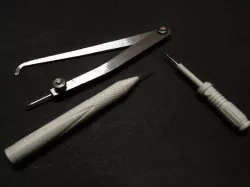
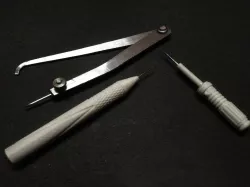
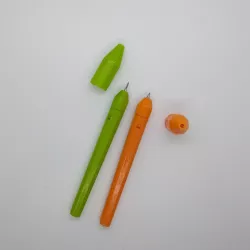
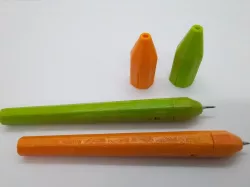
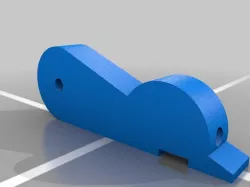
Scriber is really helpful in layout especially when working with metals and acrylic.I could have bought one but i decided to make something that looks fancy rather than boring generic one.
I was wondering what to design it around and I had the light saber stl ideabulb. I think this is the one (http://www.thingiverse.com/thing:799261) cleaned up the stl reduced the facets and designed it in fusion 360. I made another knurled scriber that is more ergonomic to me than the light saber one but both work the same :)
I have used sewing needles for the metal ends. I had heated it up and dipped it in oil.("heat treament")
The light saber has a hole of 2.5mm for bigger needles and the other scriber has a holes of 2mm. I had epoxied the needles in place. Designed it for press fit which works really fine. If yours is loose wrap it with PTFE tape and push it in :)
I have scribed more than 100 lines in metal and the needle is still sharp so I epoxied it permanently rather than making it removable. And even if the needle breaks I can print em again. So you decide whether you wanna press fit or epoxy.
Thanks for checking it out. Hope it comes in handy for you :)
Comment if you liked it and if you have ideas for any other tool let me know.
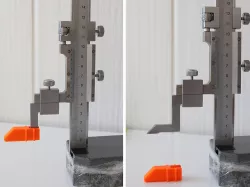
P.S : The metal caliper like thingy is called a Firm Joint Jenny Caliper ;) Also It would be really cool to print it in metal or wood PLA. I cant afford them for now. But i feel it would look cool :)
Print Settings
Printer Brand:
Prusa
Printer:
Prusa Clone
Rafts:
Doesn't Matter
Supports:
Doesn't Matter
Resolution:
0.2 (0.1 if u have the time)
Infill:
15-30
Notes:
Simple print no need any special settings. Slow your printer down for the taller print if your printer cant handle it :)
Direct link to the original creator's page
Also Available On
More from gintama
Similar Models
Model Specifications
Frequently Asked Questions
How do I download Scriber?
Click the "View on thingiverse" button above to visit the original model page on thingiverse. You can download the STL file directly from the creator's page for free.
What 3D printer can I use for this model?
This STL file is compatible with most FDM 3D printers (Creality Ender 3, Prusa MK3S+, Bambu Lab, etc.) and resin printers (Elegoo, Anycubic). Check the original page for recommended print settings and materials.
Is this 3D model free to download?
Yes, this model is available as a free download on thingiverse. Some creators accept tips or donations.
Can I modify this STL file?
Most STL files can be modified using free software like Blender, TinkerCAD, or Meshmixer. Check the license on the original thingiverse page to see if modifications are permitted by the creator.