 prusaprinters
Modular Clock
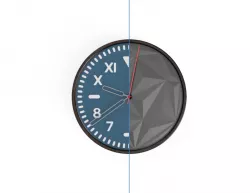
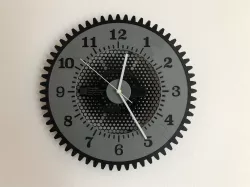
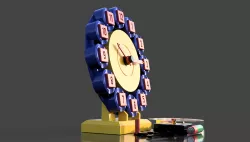
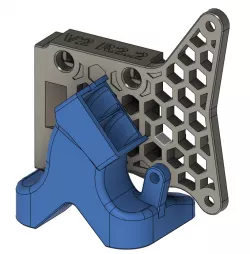
What to PrintThere are three parts you can print: a clock face, a frame, and a wall-mount bracket. Slicing and printing settings for each part are described below. In addition to printed parts, you will need a clock mechanism like this one. Total print time is between 11 and 13 hours.Clock FacesFirst, chose a clock face to print from the “Files” section. The Faces are labeled as shown: Print Settings:Orientation should look like the photo belowPLANo supports0.2mm layer heightAll additional settings (color change, variable layer height) are included in the 3mf files.FramesThere are two frames. Both can be mounted on a wall, but the hexagonal frame also allows the clock to be set on a table. Settings:Orientation should look like the photo below (curved face pointing up)PLA (Black color looks best)No supports0.2mm layer heightWall Mount BracketThe Wall Mount Bracket allows the clock to be mounted to a wall. This part is optional. Settings:Orientation should look like the photo belowPLA (Any color, this part won't be visible)No supports0.2mm layer height AssemblyIf you printed the wall mounting bracket, place it at the back of the clock face, then twist it to lock it in place. Screw the Clock Face into the Frame as shown in the image below. Be gentle with this step and take your time. Then, attach your clock mechanism. If you bought this one, the final assembly will look like the one below. That's all, Enjoy! Change Log-----------------June 12: Uploaded Hour and Minute hand for Teque5June 17: Updated Frame to eliminate ghosting from silk PLA
Direct link to the original creator's page
Also Available On
More from rb3d



Similar Models
 prusaprinters
 prusaprinters
 prusaprinters
 prusaprinters
 prusaprinters
 prusaprinters
 prusaprinters
 prusaprinters
Model Specifications
Frequently Asked Questions
How do I download Modular Clock?
Click the "View on prusaprinters" button above to visit the original model page on prusaprinters. You can download the STL file directly from the creator's page for free.
What 3D printer can I use for this model?
This STL file is compatible with most FDM 3D printers (Creality Ender 3, Prusa MK3S+, Bambu Lab, etc.) and resin printers (Elegoo, Anycubic). Check the original page for recommended print settings and materials.
Is this 3D model free to download?
Yes, this model is available as a free download on prusaprinters. Some creators accept tips or donations.
Can I modify this STL file?
Most STL files can be modified using free software like Blender, TinkerCAD, or Meshmixer. Check the license on the original prusaprinters page to see if modifications are permitted by the creator.