 cults3d
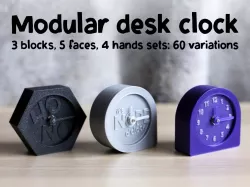
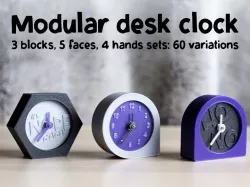
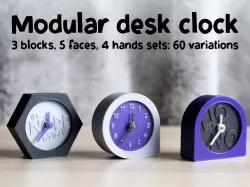
Modular desk clock
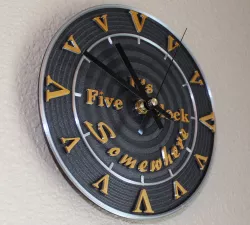
What time is it? It's nope o'clock!
A small & simple clock for your desk: 3 blocks, 5 faces, 4 hands: 60 variations !
Select the parts and create your own clock !
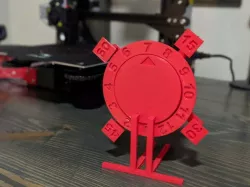
3 blocks : corner, flat or hexa
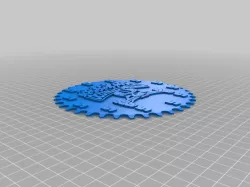
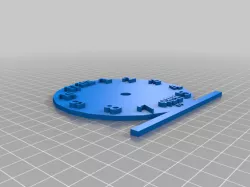
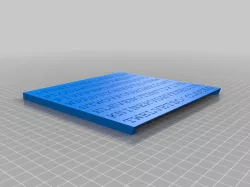
5 faces: dots, dashes, numbers, "ho no" or "it's nope o'clock"
4 hands sets: round, pointy, line or hexa
one extra part to hide the center of the clock : the biboutz
Mix and match the parts, use several colors or not, and enjoy your desk clock :)
Gravity
You'll notice gravity exists on earth and therefore, you'll need to add additional weight on the "corner" block for that it stays in place. there are 2 spaces in the block where you can add some coins to add some weight. Tested with two 50cents coins, it can also help you to store money for emergencies at the coffee machine.
Closing the clock
Secure the clock back with a little bit of masking tape around the rods to make them a little bit thicker and stay in place.
Mechanism
Use the quartz clock mechanism with a small shaft ( 55x55x 13mm) like this one : https://www.amazon.fr/gp/product/B08SJDZHLT
Font
If you like the font I used for the face, you can download it here for free (Yes, I made it)
https://weblog.redisdead.net/main/post/2018/08/01/Caturigas-une-fonte-super-fine-et-mega-grasse
Direct link to the original creator's page
Also Available On
More from hellgi
Similar Models

Model Specifications
Frequently Asked Questions
How do I download Modular desk clock?
Click the "View on cults3d" button above to visit the original model page on cults3d. You can download the STL file directly from the creator's page.
What 3D printer can I use for this model?
This STL file is compatible with most FDM 3D printers (Creality Ender 3, Prusa MK3S+, Bambu Lab, etc.) and resin printers (Elegoo, Anycubic). Check the original page for recommended print settings and materials.
Is this 3D model free to download?
This is a premium model priced at on cults3d. Premium models often include higher detail, multiple parts, and print-tested files.
Can I modify this STL file?
Most STL files can be modified using free software like Blender, TinkerCAD, or Meshmixer. Check the license on the original cults3d page to see if modifications are permitted by the creator.