 grabcad
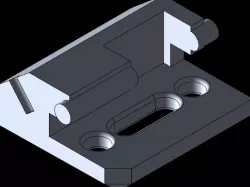
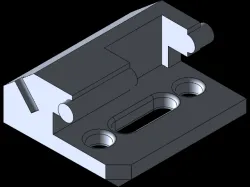
Fixture Block
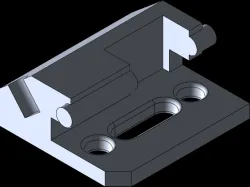
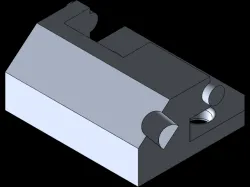
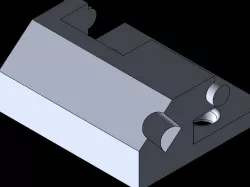
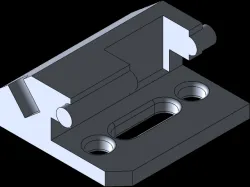
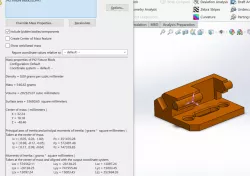
Step 1: draw out a general sketch from the side view and put in you dimensions and boss extrudeStep 2: sketch on the top plane and use circles and a slot to cut extrude with proper dimensions and finally use the fillet tool with proper dimensionsStep 3: on the same plane yo can also cut the corner off, draw a triangle in the corner and cut exrudeSep 4: you sketch on the top slanted par of the object and draw a circle with the midpoint coincident to the edge and cut extrudeStep 5: for this i felt i could've made it easier but i decided too just and 2 boss extrude circle to each end of the bar that goes through the partStep 6: sketch on the very top of the object and cut extrude your square
Direct link to the original creator's page
Also Available On
More from lupo
Similar Models
Model Specifications
Frequently Asked Questions
How do I download Fixture Block?
Click the "View on grabcad" button above to visit the original model page on grabcad. You can download the STL file directly from the creator's page for free.
What 3D printer can I use for this model?
This STL file is compatible with most FDM 3D printers (Creality Ender 3, Prusa MK3S+, Bambu Lab, etc.) and resin printers (Elegoo, Anycubic). Check the original page for recommended print settings and materials.
Is this 3D model free to download?
Yes, this model is available as a free download on grabcad. Some creators accept tips or donations.
Can I modify this STL file?
Most STL files can be modified using free software like Blender, TinkerCAD, or Meshmixer. Check the license on the original grabcad page to see if modifications are permitted by the creator.