 thingiverse
Day Clock
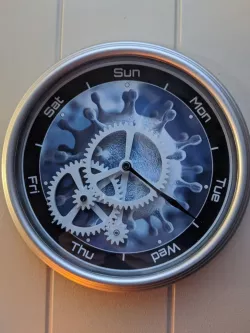
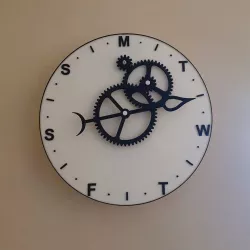
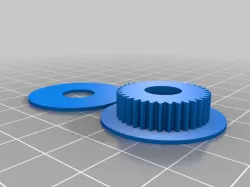
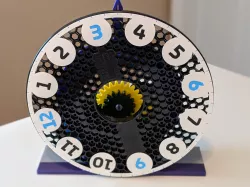
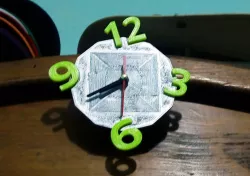
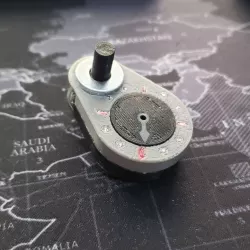
This clock is built from a Walmart Mainstays 8.78" Basic Clock. Remove the clock mechanics from the back. Use the bracket to mark the holes for the clock mechanics gear and the second gear. Drill a hole for the new placement of the clock mechanics box on the back, and the second gear. Mount the bracket and push through the clock mechanics from the back. Super Glue the first gear on. Then mount the second and third gears to the bracket using 3 mm x 15 mm screws. Using hot glue, glue the clock mechanics to the back. Using the one of the black plastic circles that came with the clock to secure it to the box, screw it down to the center gear screw and the hot glue.
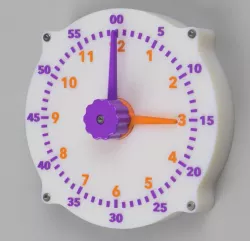
As to the face of the clock, I used to Inkscape to design it. You will need to design your own clock face, print it out and glue it in before adding the gears.
Lastly, the hand is one that came with the Walmart clock. Add two right angle bends to the hand so that it clears the screw on the second gear and super glue the arm to the gear.
See pictures for hand bend and placement of the clock mechanics box on the back of the clock.
The Walmart clock is under $4 and comes in black, silver, red and white.
UPDATE: I added BracketV4 that has 0.5 mm clearance between the gears to prevent binding of the gears. You do not need both brackets. Use Bracket V4 instead of Bracket v3 if you find that the gears are too close. I also added the clock face without the graphic in the middle that you use or use as a guide to design your own face.
Direct link to the original creator's page
Also Available On
More from bkahuna

Similar Models
Model Specifications
Frequently Asked Questions
How do I download Day Clock?
Click the "View on thingiverse" button above to visit the original model page on thingiverse. You can download the STL file directly from the creator's page for free.
What 3D printer can I use for this model?
This STL file is compatible with most FDM 3D printers (Creality Ender 3, Prusa MK3S+, Bambu Lab, etc.) and resin printers (Elegoo, Anycubic). Check the original page for recommended print settings and materials.
Is this 3D model free to download?
Yes, this model is available as a free download on thingiverse. Some creators accept tips or donations.
Can I modify this STL file?
Most STL files can be modified using free software like Blender, TinkerCAD, or Meshmixer. Check the license on the original thingiverse page to see if modifications are permitted by the creator.