 thingiverse
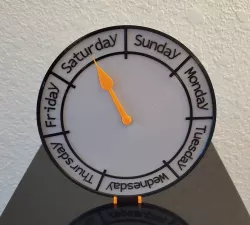
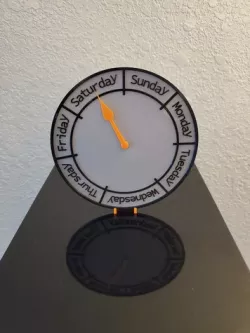
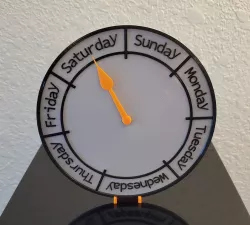
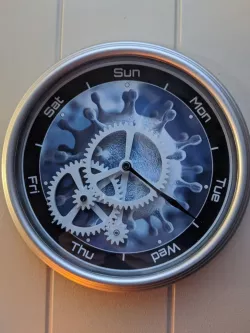
Day Clock
For those long quarantine weeks where the days blend together. This clock uses a servo so the clock hand always points at the center of the day, it does not "sweep" through the day smoothly like a normal clock would; at midnight, the hand moves to the next day. Thanks to the gearing, this works with a normal 180 degree servo. Code is included, just update to your WiFi information!
### You need:
* A Wemos D1 Mini
* A full size servo
The Wemos connects to your WiFi and automatically sets the correct day, there's nothing to set or keep track of!
Direct link to the original creator's page
Also Available On
More from whosdadog


Similar Models

Model Specifications
Frequently Asked Questions
How do I download Day Clock?
Click the "View on thingiverse" button above to visit the original model page on thingiverse. You can download the STL file directly from the creator's page for free.
What 3D printer can I use for this model?
This STL file is compatible with most FDM 3D printers (Creality Ender 3, Prusa MK3S+, Bambu Lab, etc.) and resin printers (Elegoo, Anycubic). Check the original page for recommended print settings and materials.
Is this 3D model free to download?
Yes, this model is available as a free download on thingiverse. Some creators accept tips or donations.
Can I modify this STL file?
Most STL files can be modified using free software like Blender, TinkerCAD, or Meshmixer. Check the license on the original thingiverse page to see if modifications are permitted by the creator.