 thingiverse
Cubes
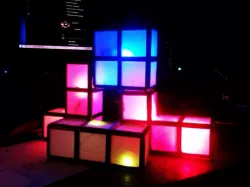
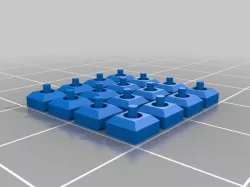
Generate Cubes and light them up!
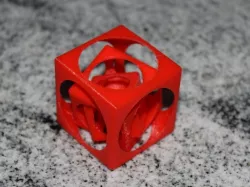
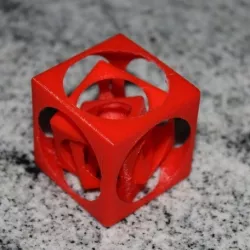
I wanted some Cubes to play with ;-). My idea was to place some Cube-Combinations on a "master" Cube with a 9V-AC Source. Their Frame should be painted with a conductive paint (each side a potential). Because of this i build those full-bridges with diodes and an LED on their ends. It worked fine with no flickering because of the full-bridge. But i got out of conductive paint very soon -> the gaps between the layers are to blame. This stuff is really expensive so i wired them ;-) but it worked very well on the two parts i painted with. Now I wont be able to play with them any more :-(
You need the MCAD Library for OpenScad for the cube-rendering!
See this Link: https://github.com/SolidCode/MCAD
Have fun with it, i got some fancy enlightening decoration. But beware, because of the Cut-Out technique (nice name btw...) the cubes wont fit in each other correctly. So no correct Tetris play, sorry for this :-(
Print Settings
Rafts:
No
Supports:
No
Infill:
30%
Notes:
Be sure to print that bridges slow ;-)
Direct link to the original creator's page
Also Available On
More from hardi

Similar Models

Model Specifications
Frequently Asked Questions
How do I download Cubes?
Click the "View on thingiverse" button above to visit the original model page on thingiverse. You can download the STL file directly from the creator's page for free.
What 3D printer can I use for this model?
This STL file is compatible with most FDM 3D printers (Creality Ender 3, Prusa MK3S+, Bambu Lab, etc.) and resin printers (Elegoo, Anycubic). Check the original page for recommended print settings and materials.
Is this 3D model free to download?
Yes, this model is available as a free download on thingiverse. Some creators accept tips or donations.
Can I modify this STL file?
Most STL files can be modified using free software like Blender, TinkerCAD, or Meshmixer. Check the license on the original thingiverse page to see if modifications are permitted by the creator.