 thingiverse
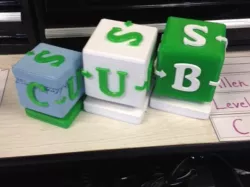
nested cubes
cube^3,
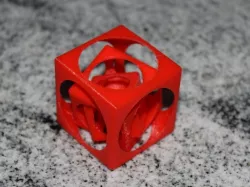
three hollow cubes, printed in one go
Instructions
A cube in a cube in a cube
This is a updated version, with rounded edges. Further, the support structure has been improved.
A friend of mine had this as a key chain out of metal, and challenged me to print it on the Makerbot.
First idea was to print the three cubes separate, and whilst printing the larger cubes, place the previously built smaller cubes in it. Through that, one probably could print this without any additional support. However, I wanted to try making it print on one go, and this is what this thing is.
On the lower side, there is a support structure built in which holds the inner two cubes in place while printing, which can be removed with a knife
Although not perfect, if came out fine with PLA, 3 shells, 0% infill, 0.1mm layer height.
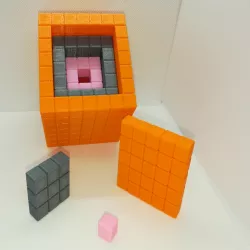
The print also developed some weird stringing effect where in the openings, there are 45deg upward-growing artefacts. See the picture with the orange color thing. Any1 knows why this happens?
Direct link to the original creator's page
Also Available On
More from damm301

Similar Models
 cults3d
 cults3d
 thingiverse
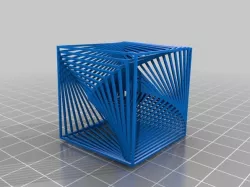
 thingiverse
 thingiverse
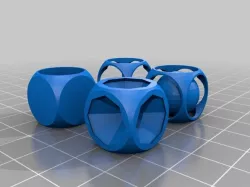 thingiverse
 prusaprinters
 thingiverse
Model Specifications
Frequently Asked Questions
How do I download nested cubes?
Click the "View on thingiverse" button above to visit the original model page on thingiverse. You can download the STL file directly from the creator's page for free.
What 3D printer can I use for this model?
This STL file is compatible with most FDM 3D printers (Creality Ender 3, Prusa MK3S+, Bambu Lab, etc.) and resin printers (Elegoo, Anycubic). Check the original page for recommended print settings and materials.
Is this 3D model free to download?
Yes, this model is available as a free download on thingiverse. Some creators accept tips or donations.
Can I modify this STL file?
Most STL files can be modified using free software like Blender, TinkerCAD, or Meshmixer. Check the license on the original thingiverse page to see if modifications are permitted by the creator.