 thingiverse
CodeThread - GCode from Processing
CodeThread is libary for processing that lets you create g-code as you calculate coordinates for a toolpath.
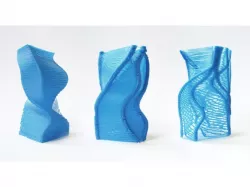
One of the things we love about makerbot in contrast to commercial printers is that you have complete control over every aspect of the print technique. We think there is a lot of opportunity to develop new printing styles with makerbots, beyond traditional solid prints.
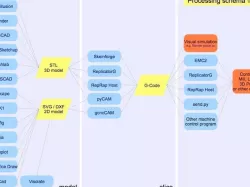
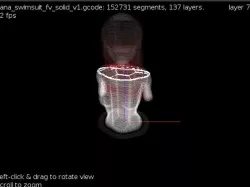
We wanted to experiment with the materiality of makerbot prints by working directly in gcode with processing, so we made this small library that provides some simple functions for generating gcode commands, and prints a gcode file.
Library (v1.1.2):http://diatom.cc/code/processing/libraries/codethread/codethread_1.1.2.zip
Documentation:http://diatom.cc/code/processing/libraries/codethread/reference/
Github Repository:https://github.com/DiatomStudio/CodeThread/
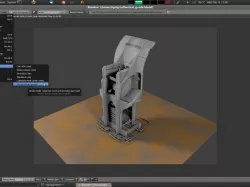
Our experiments (including some description of the images attached here):http://blog.diatom.cc/codethread
It's still pretty fresh, hope to have some more updates and examples soon!
Instructions
For example, here is some code for a 30mm thin-walled cube:
CodeThread codeThread= new CodeThread();
int feed = 1200;
codeThread.setDefaults();
codeThread.extruderOnFwd();
codeThread.generateRaft(40, 40, 560, 1500, 2.5, 1.5);
for(float i=0; i(less than)30; i+=0.35) {
codeThread.moveTo(15, 15, 1.27+i, feed);
codeThread.moveTo(-15, 15, 1.27+i, feed);
codeThread.moveTo(-15, -15, 1.27+i, feed);
codeThread.moveTo(15, -15, 1.27+i, feed);
}
codeThread.extruderOff();
codeThread.writeToFile(sketchPath + "30mmbox.gcode");
note: replace (less than) with 'less than' sign. For some reason that character wouldn't post.
Direct link to the original creator's page
More from diatom
Similar Models


Model Specifications
Frequently Asked Questions
How do I download CodeThread - GCode from Processing?
Click the "View on thingiverse" button above to visit the original model page on thingiverse. You can download the STL file directly from the creator's page for free.
What 3D printer can I use for this model?
This STL file is compatible with most FDM 3D printers (Creality Ender 3, Prusa MK3S+, Bambu Lab, etc.) and resin printers (Elegoo, Anycubic). Check the original page for recommended print settings and materials.
Is this 3D model free to download?
Yes, this model is available as a free download on thingiverse. Some creators accept tips or donations.
Can I modify this STL file?
Most STL files can be modified using free software like Blender, TinkerCAD, or Meshmixer. Check the license on the original thingiverse page to see if modifications are permitted by the creator.