 myminifactory
Basic Robot Arm
Robot arm for Rookies
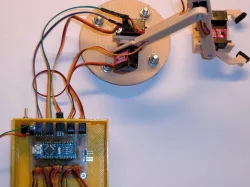
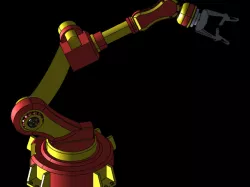
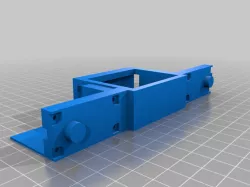
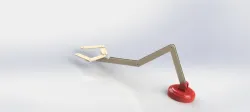
Robot arm designs frequently use mini servo’s like the MG90S (MG=Metal Gear). However, the power of these tiny instruments is often overestimated. Traditional robot arm designs are quite complicated and have many friction points due to the link structure. This link structure is just to keep the clamp horizontal. By adding one more servo, we create more freedom and can eliminate the link structure. The simple arm structure is directly attached to the servo’s, without the need of the horns that come with the servo. However, we will make use of the screws supplied. The wires run through the cylinders on the arms to clean it up a little. The servo’s are controlled by an Arduino Nano. Make sure to supply the 5 volt power from an external source. On the PCB is also a connection for 7 to 12 volts, but only for test purposes without servo’s attached. You don’t want to damage the Arduino 5 volt regulator, which only has a very limited capacity.In this test set up, five potentiometers are used to control the position of the servo’s. If you want to run the robot arm autonomously, you can use the switch in the sketch:
val = analogRead(switch);if (val > 500){ potentiometer program }else{ your program part }
Check out the movie on you tube, the arm is manually controlled:
The sketch for manual control is attached.
Direct link to the original creator's page
Also Available On
More from willem

Similar Models
Model Specifications
Frequently Asked Questions
How do I download Basic Robot Arm?
Click the "View on myminifactory" button above to visit the original model page on myminifactory. You can download the STL file directly from the creator's page.
What 3D printer can I use for this model?
This STL file is compatible with most FDM 3D printers (Creality Ender 3, Prusa MK3S+, Bambu Lab, etc.) and resin printers (Elegoo, Anycubic). Check the original page for recommended print settings and materials.
Is this 3D model free to download?
This is a premium model priced at on myminifactory. Premium models often include higher detail, multiple parts, and print-tested files.
Can I modify this STL file?
Most STL files can be modified using free software like Blender, TinkerCAD, or Meshmixer. Check the license on the original myminifactory page to see if modifications are permitted by the creator.