 CrealityCloud
3D printer bestanden | 3MF | xiaomi mijia wiha schroevendraaier antislip grip v2 xiaomi mijia schroevendraaier antislip grip v2
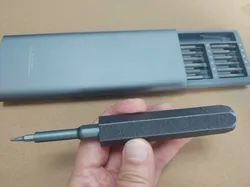
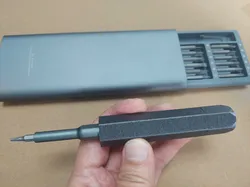
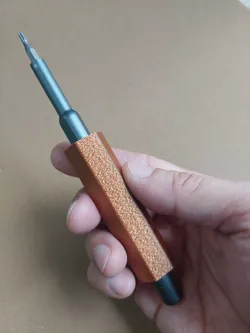
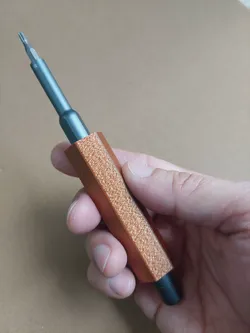
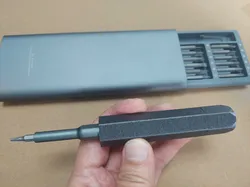
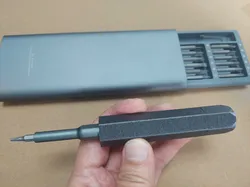
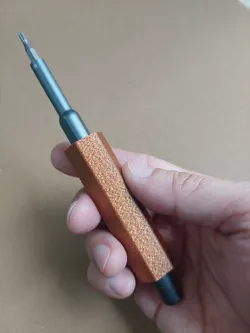
Het probleem van het afglijden van het handvat in de eerste versie is opgelost, maar de vrije draaifunctie van de achterkant van de Xiaomi-schroevendraaier kan niet worden gebruikt.解決第一版把手滑落問題,但無法使用小米起子後端自由轉動功能。Het wordt aanbevolen om Cura Fuzzy Skin te gebruiken voor het printen. Let op dat je geen Fuzzy Skin gebruikt op het schroefgedeelte.建議使用Cura絨毛皮膚列印,請注意螺絲部份不要絨毛皮膚Stel de "Hole Horizontal ExpansionSet" waarde in zoals gepast, de aanbevolen waarde is 0.2~0.4, de waarde van het deksel moet 0.1 hoger zijn dan het handvat.視情況設定孔洞擴展數值,建議數值0.2~0.4,蓋子的數值請比把手高0.1。
Direct link to the original creator's page
More from 陳暐岳
 CrealityCloud
 CrealityCloud
 CrealityCloud
 CrealityCloud
 CrealityCloud
 CrealityCloud
Similar Models
CrealityCloud
CrealityCloud
CrealityCloud
CrealityCloud
CrealityCloud
CrealityCloud
 CrealityCloud
 CrealityCloud
Model Specifications
Frequently Asked Questions
How do I download 3D printer bestanden | 3MF | xiaomi mijia wiha ...?
Click the "View on CrealityCloud" button above to visit the original model page on CrealityCloud. You can download the 3MF, STL file directly from the creator's page for free.
What 3D printer can I use for this model?
This model is compatible with most FDM 3D printers (Creality Ender 3, Prusa MK3S+, Bambu Lab, etc.) and resin printers (Elegoo, Anycubic). Check the original page for recommended print settings and materials.
Is this 3D model free to download?
Yes, this model is available as a free download on CrealityCloud. Some creators accept tips or donations.
Can I modify this file?
Check the license (CC BY-NC) on the original CrealityCloud page. Most STL files can be modified using free software like Blender, TinkerCAD, or Meshmixer.