 cults3d
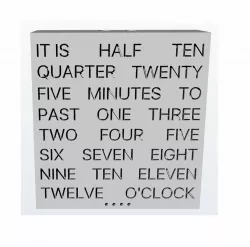
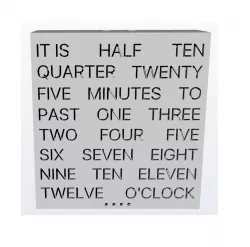
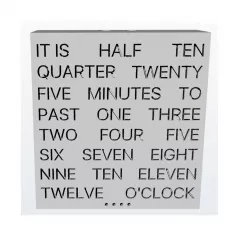
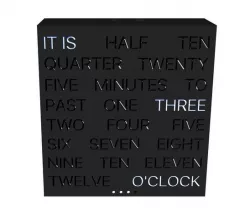
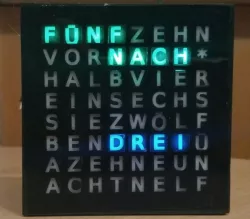
Word clock
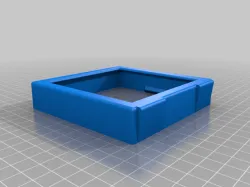
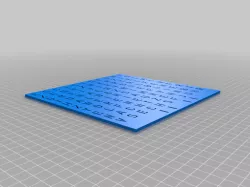
Word clock kit.
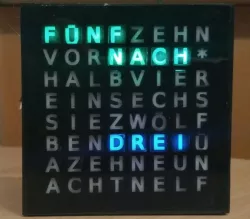
Inspired by the two tutorials by drj113 at www.instructables.com:http://www.instructables.com/id/The-Wordclock-Grew-Uphttp://www.instructables.com/id/The-Word-Clock-Arduino-version/
To build this you will need 8 M3 screws, zip ties to secure the led strips and glue to secure the diffusers. The top of the case two holes for two 12mm push buttons to adjust the time.
For the electronic part, follow the supplied tutorials but bear in mind that if you want to use the four leds on the bottom to display the minutes you will have to modify the code supplied by drj113, as I'm still waiting for all the bits to assemble this I have yet to start messing with the code.
Direct link to the original creator's page
Also Available On
More from xadow

Similar Models

Model Specifications
Frequently Asked Questions
How do I download Word clock?
Click the "View on cults3d" button above to visit the original model page on cults3d. You can download the STL file directly from the creator's page.
What 3D printer can I use for this model?
This STL file is compatible with most FDM 3D printers (Creality Ender 3, Prusa MK3S+, Bambu Lab, etc.) and resin printers (Elegoo, Anycubic). Check the original page for recommended print settings and materials.
Is this 3D model free to download?
This is a premium model priced at on cults3d. Premium models often include higher detail, multiple parts, and print-tested files.
Can I modify this STL file?
Most STL files can be modified using free software like Blender, TinkerCAD, or Meshmixer. Check the license on the original cults3d page to see if modifications are permitted by the creator.