 Thingiverse
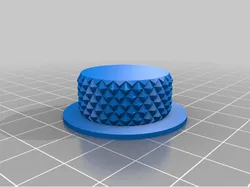
ResMed AirCurve 10 AirSense 10 Knob
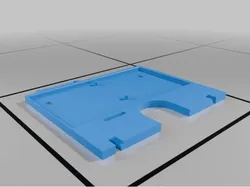
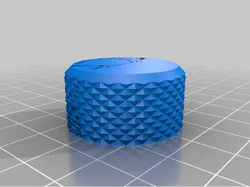
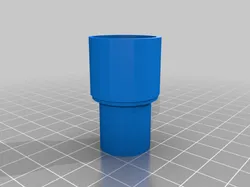
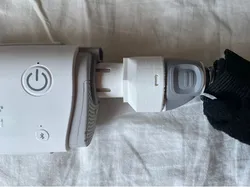
Here are two different knob styles that will replace the lighted knob on the ResMed AirCurve 10 or AirSense 10 machines. Supports are required for the center of the knob. The .3mf files have paint on supports where needed. Turn on support enforcers.To replace the factory knob, remove the machine face plate (red circle on pic) then GENTLY remove the original knob. It pulls straight off but might require slight “encouragement” with a tiny screwdriver to get it started. Once removed, carefully push the new knob on and test fit the face plate. If the face plate does not fit or if the knob drags on the plate, simply push the knob on a bit further. Again, be careful.
Direct link to the original creator's page
More from Trash_Hauler
Similar Models
 Printables
 Thingiverse
 Printables
 Printables
 Thingiverse
 Thingiverse
 Thingiverse
 Thingiverse
Model Specifications
Frequently Asked Questions
How do I download ResMed AirCurve 10 AirSense 10 Knob?
Click the "View on Thingiverse" button above to visit the original model page on Thingiverse. You can download the STL file directly from the creator's page for free.
What 3D printer can I use for this model?
This model is compatible with most FDM 3D printers (Creality Ender 3, Prusa MK3S+, Bambu Lab, etc.) and resin printers (Elegoo, Anycubic). Check the original page for recommended print settings and materials.
Is this 3D model free to download?
Yes, this model is available as a free download on Thingiverse. Some creators accept tips or donations.
Can I modify this file?
Check the license (see original page) on the original Thingiverse page. Most STL files can be modified using free software like Blender, TinkerCAD, or Meshmixer.