 grabcad
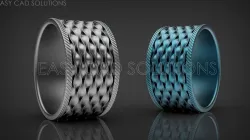
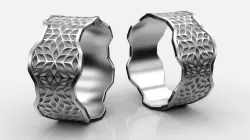
Wave Ring + Video Tutorial
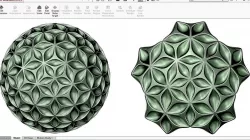
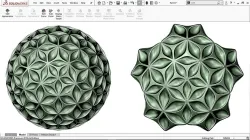
Tutorial Link: https://www.youtube.com/watch?v=dob_iE1InYgWatch the free Webinar here ➜ https://bit.ly/easycadsolutions--------------------------------------------------------------------------------------------------------------------------------------------@Easy CAD Solutions In this exercise, you will learn how to create '3D Wave like Patten' on the cylindrical surface by using surface and feature commands in Solidworks. In this tutorial, you will also learn to use the circular pattern command effectively to achieve the desired result.Important Commands Used:-Extrude Surface-Surface Loft-Flex Tool-Reference Geometry (Plane and Point)-Fillets (Curvature Continuous Face Fillet)-Move/ Copy Body (For Point to Point Translation)-Extrude Cut-Circular Pattern -Combine-Scale-Change Appearance
Direct link to the original creator's page
More from nishant


Similar Models
 grabcad
 grabcad
 grabcad
 grabcad
 grabcad
 grabcad
 grabcad
 grabcad
Model Specifications
Frequently Asked Questions
How do I download Wave Ring + Video Tutorial?
Click the "View on grabcad" button above to visit the original model page on grabcad. You can download the STL file directly from the creator's page for free.
What 3D printer can I use for this model?
This STL file is compatible with most FDM 3D printers (Creality Ender 3, Prusa MK3S+, Bambu Lab, etc.) and resin printers (Elegoo, Anycubic). Check the original page for recommended print settings and materials.
Is this 3D model free to download?
Yes, this model is available as a free download on grabcad. Some creators accept tips or donations.
Can I modify this STL file?
Most STL files can be modified using free software like Blender, TinkerCAD, or Meshmixer. Check the license on the original grabcad page to see if modifications are permitted by the creator.