 prusaprinters
Wall Mount Bottle Opener
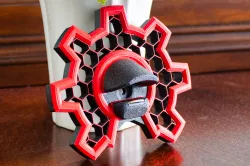
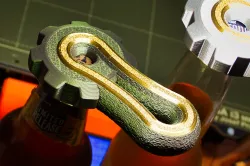
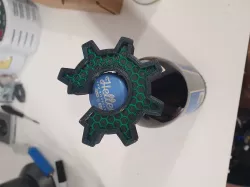
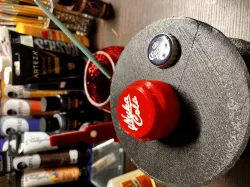
Here's the open source hardware symbol bottle opener, or OPEN BOTTLE SYMBOL. There are two color changes. Start with black or your background color, switch to the primary color (yellow in my sample), then finish with black again. I used Galaxy Black fyi.When it's done insert a US quarter dollar or similar coin in from the back. It should be tight, so use a tool to fully seat it. The center section has reinforced infill. That's why it takes a good amount of time to print this part. Use a drywall screw to attach to the wall through the center hole.Note: The color change from black to yellow happens 1 layer before the hex infill finishes so that you can faintly see the hex pattern. Move the color change layer up 1 if you prefer to not highlight the infill as much. If you use your own settings, the Infill Angle should be 30 degrees, not 45. Please post a pic of your Make.
Direct link to the original creator's page
Also Available On
More from matt
Similar Models
 prusaprinters
 prusaprinters
 prusaprinters
 prusaprinters
 prusaprinters
 prusaprinters
 prusaprinters
 prusaprinters
Model Specifications
Frequently Asked Questions
How do I download Wall Mount Bottle Opener?
Click the "View on prusaprinters" button above to visit the original model page on prusaprinters. You can download the STL file directly from the creator's page for free.
What 3D printer can I use for this model?
This STL file is compatible with most FDM 3D printers (Creality Ender 3, Prusa MK3S+, Bambu Lab, etc.) and resin printers (Elegoo, Anycubic). Check the original page for recommended print settings and materials.
Is this 3D model free to download?
Yes, this model is available as a free download on prusaprinters. Some creators accept tips or donations.
Can I modify this STL file?
Most STL files can be modified using free software like Blender, TinkerCAD, or Meshmixer. Check the license on the original prusaprinters page to see if modifications are permitted by the creator.