 thingiverse
Wall Clock
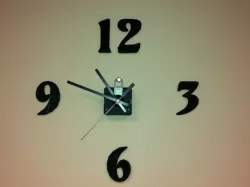
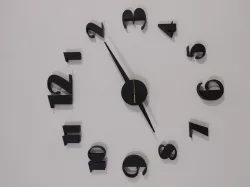
I don't know about you, but one of the hardest things for me about choosing a clock is finding a font I can commit to.
Thanks to my MakerBot, this is never a problem for me, as I can change the color and font of the numbers on my wall clock as often as I want!
I created this clock by following Tony Buser's 2D to 3D tutorial http://tonybuser.com/2d-to-3d that nicely explains how to export something from Inkscape into a .dxf that OpenSCAD can read.
Instructions
FYI my clock uses the Volute font, which can be found in most of the free font packs such as this one http://www.ffonts.net/Volute.font.download
I chose to go with a clock kit from amazon http://amzn.com/B001BBWR26
Direct link to the original creator's page
Also Available On
More from amyhurst



Similar Models

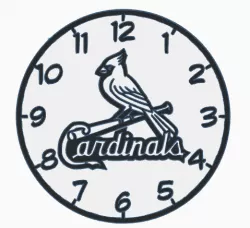




Model Specifications
Frequently Asked Questions
How do I download Wall Clock?
Click the "View on thingiverse" button above to visit the original model page on thingiverse. You can download the STL file directly from the creator's page for free.
What 3D printer can I use for this model?
This STL file is compatible with most FDM 3D printers (Creality Ender 3, Prusa MK3S+, Bambu Lab, etc.) and resin printers (Elegoo, Anycubic). Check the original page for recommended print settings and materials.
Is this 3D model free to download?
Yes, this model is available as a free download on thingiverse. Some creators accept tips or donations.
Can I modify this STL file?
Most STL files can be modified using free software like Blender, TinkerCAD, or Meshmixer. Check the license on the original thingiverse page to see if modifications are permitted by the creator.