 thingiverse
VNC-Based Printer server
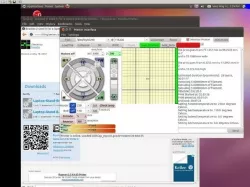
Less of a "Thing" and more of instructions for setting up VNC-based 3d-printer station.
I also had at least 5 people ask me how to do this. So, here we are - now I can point here.
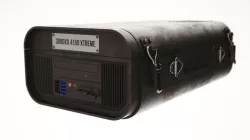
I had an IdeaCenter attached to the back of one of my monitors that I was no longer using as a NAS and was tired of configuring every stinking computer I used to 3d print, swap the USB cable, blah... blah...
So, I used the IdeaCenter as a printer station and accessing it via VNC.
Instructions
1) Set up a low end computer with sufficient capability to serve VNC and your 3D printer application. Test that it works as a printer and is networked with VNC.
In my case I used:
IdeaCenter Q100
Ubuntu 10.10 X86
Printrun (SFACT - but it is seldom used)
2) On the printer server system "share" a space on the drive with sufficient access for you to write and read via your workstation. Install your slicer and its configuration files for your workstation on this share.
3) Use a VNC configuration file to retain the settings to connect to it (see the VNC file attached)
4) Slice the part on your workstation and put its gcode files onto the shared drive created in step #2 above.
5) Connect to printer server via VNC and load the GCODE file.
6) Enjoy being able to:
manage the printer settings on only one computer
take your workstation off line and still print
share the printer with others on the network
HaHa - oops I forgot to add that I printed a few parts via VNC from my Xoom tablet.
Direct link to the original creator's page
More from fmotta
Similar Models
Model Specifications
Frequently Asked Questions
How do I download VNC-Based Printer server?
Click the "View on thingiverse" button above to visit the original model page on thingiverse. You can download the STL file directly from the creator's page for free.
What 3D printer can I use for this model?
This STL file is compatible with most FDM 3D printers (Creality Ender 3, Prusa MK3S+, Bambu Lab, etc.) and resin printers (Elegoo, Anycubic). Check the original page for recommended print settings and materials.
Is this 3D model free to download?
Yes, this model is available as a free download on thingiverse. Some creators accept tips or donations.
Can I modify this STL file?
Most STL files can be modified using free software like Blender, TinkerCAD, or Meshmixer. Check the license on the original thingiverse page to see if modifications are permitted by the creator.