 CrealityCloud
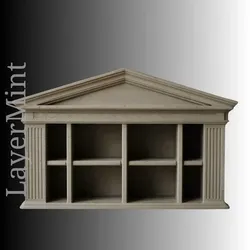
Other STL indir - Ancient Greek Temple Desk Organizer – 3D Print Model STL - LayerMint
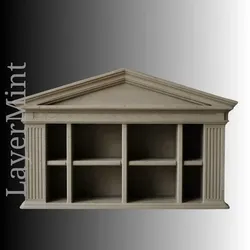
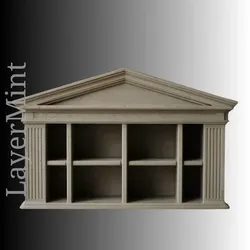
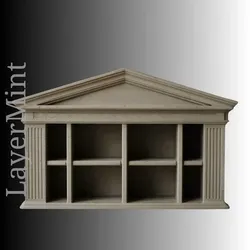
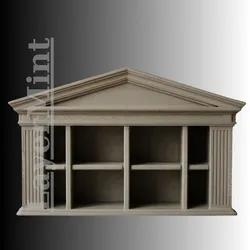
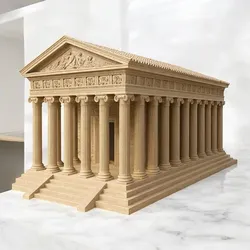
Design ConceptThe Ancient Greek Temple Desk Organizer draws inspiration from classical architecture, featuring iconic columns and a triangular pediment. This model is designed to be both functional and decorative, perfectly embodying the elegance of ancient Greek aesthetics.Use CaseThis organizer is ideal for keeping desks tidy, with multiple compartments perfect for holding stationery, office supplies, or other small items. It serves as a charming addition to both modern and classical home office settings.Printing TipsThis model is best printed with high-resolution settings to ensure the intricate details of the columns and pediment are captured. Use a material that offers a smooth finish to mimic the appearance of stone or marble.Assembly InstructionsThe piece is designed to be printed in a single part, requiring no assembly. Ensure the print is cooled properly before handling to avoid warping especially in the column sections.
Direct link to the original creator's page
More from LayerMint
 CrealityCloud
 CrealityCloud
 CrealityCloud
 CrealityCloud
 CrealityCloud
 CrealityCloud
Similar Models
 CrealityCloud
 CrealityCloud
 CrealityCloud
 Cults3D
 Cults3D
 Cults3D
 Cults3D
 Thangs
Model Specifications
Frequently Asked Questions
How do I download Other STL indir - Ancient Greek Temple Desk Org...?
Click the "View on CrealityCloud" button above to visit the original model page on CrealityCloud. You can download the STL file directly from the creator's page for free.
What 3D printer can I use for this model?
This model is compatible with most FDM 3D printers (Creality Ender 3, Prusa MK3S+, Bambu Lab, etc.) and resin printers (Elegoo, Anycubic). Check the original page for recommended print settings and materials.
Is this 3D model free to download?
Yes, this model is available as a free download on CrealityCloud. Some creators accept tips or donations.
Can I modify this file?
Check the license (CC BY-NC-SA) on the original CrealityCloud page. Most STL files can be modified using free software like Blender, TinkerCAD, or Meshmixer.