 myminifactory
Test cubes
Some simple printerfiles to test the behave of your printer
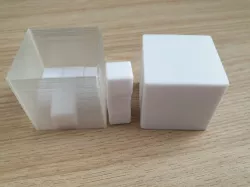
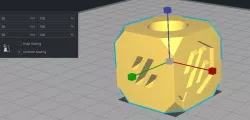
30mm_cube_$$$.stlA 30x30x30 mm cube, which has a number on the top.
$$$ -> 010 can be used for a print with a nodel of 0.1 mm
$$$ -> 025 can be used for a print with a nodel of 0.25 mm
$$$ -> 040 can be used for a print with a nodel of 0.4 mm
$$$ -> 080 can be used for a print with a nodel of 0.8 mm
$$$ -> 100 can be used for a print with a nodel of 1.0 mm
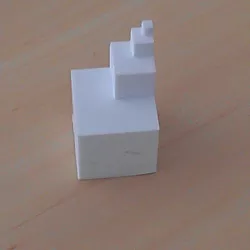
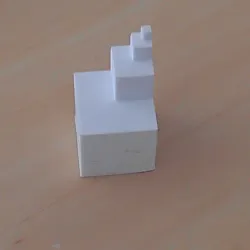
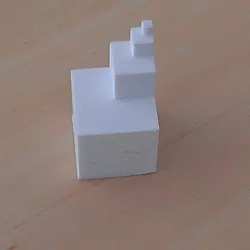
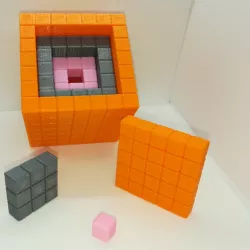
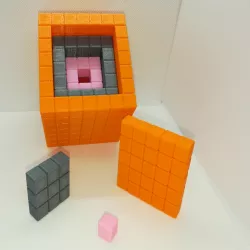
30mm_cube_4Level.stlA cube which can be used to check the behave how good the printer is doing the corner of cubs, when the cube idecrease to 1/8 of the ground. The ground cube starts by 30x30x30 mm
Direct link to the original creator's page
Also Available On
More from walter
Similar Models
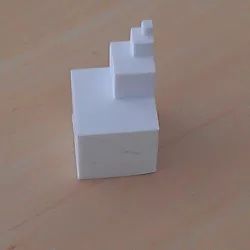
Model Specifications
Frequently Asked Questions
How do I download Test cubes?
Click the "View on myminifactory" button above to visit the original model page on myminifactory. You can download the STL file directly from the creator's page.
What 3D printer can I use for this model?
This STL file is compatible with most FDM 3D printers (Creality Ender 3, Prusa MK3S+, Bambu Lab, etc.) and resin printers (Elegoo, Anycubic). Check the original page for recommended print settings and materials.
Is this 3D model free to download?
This is a premium model priced at on myminifactory. Premium models often include higher detail, multiple parts, and print-tested files.
Can I modify this STL file?
Most STL files can be modified using free software like Blender, TinkerCAD, or Meshmixer. Check the license on the original myminifactory page to see if modifications are permitted by the creator.