 Thingiverse
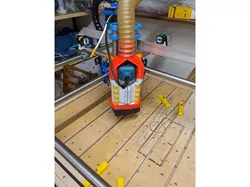
AseB 3in1 Makita RT0700 Holder, Air-baffle and Dustshoe for MPCNC Burly
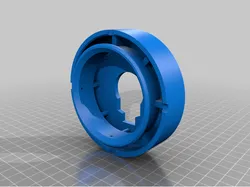
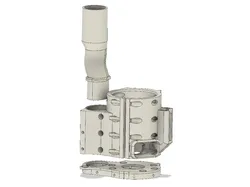
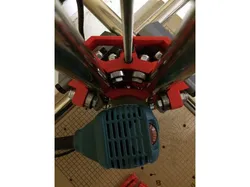
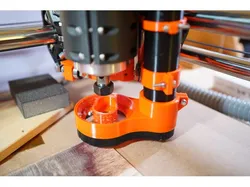
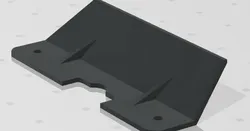
This is my approach for a holder with an integrated vacuum part and an air baffle because i did not find a design that i liked.If you want to use my holder on your MPCNC Primo you will need the mounting plate from the MPCNC Burly, according to the homepage of V1 engineering it should fit.The cooling air from the Router is not being vacuumed and it wont blow chips everywhere because the air is directed sideways.The main vacuum connector has a diameter of 50mm.You will need M4x20 cylinder head screws and M4 self-locking nuts to mount it and to clamp the router.To mount the bottom to the base and add a skirt to it you will need small wood screws.The holes in the front for mounting the holder can easily be covered up with some Tape.Support on the holder is only needed for the lower baffle part and for the Y-adapter, take a look in the pictures to see how i did it.If you have any suggestions to improve it feel free to let me know.As requested i made an adapter to a 40mm hose.As requested i included STEP files for the Dustshoe.
Direct link to the original creator's page
More from Aleckz

Similar Models
 Thingiverse
 Thingiverse
 Thingiverse
 GrabCAD
 Thingiverse
 Printables
 Thingiverse
 Thingiverse
Model Specifications
Frequently Asked Questions
How do I download AseB 3in1 Makita RT0700 Holder, Air-baffle and ...?
Click the "View on Thingiverse" button above to visit the original model page on Thingiverse. You can download the STL file directly from the creator's page for free.
What 3D printer can I use for this model?
This model is compatible with most FDM 3D printers (Creality Ender 3, Prusa MK3S+, Bambu Lab, etc.) and resin printers (Elegoo, Anycubic). Check the original page for recommended print settings and materials.
Is this 3D model free to download?
Yes, this model is available as a free download on Thingiverse. Some creators accept tips or donations.
Can I modify this file?
Check the license (see original page) on the original Thingiverse page. Most STL files can be modified using free software like Blender, TinkerCAD, or Meshmixer.