 cults3d
Spirograph
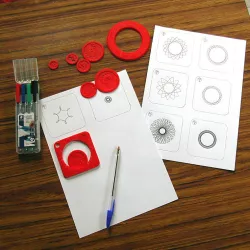
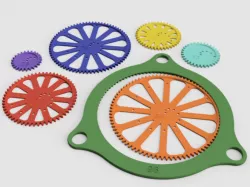
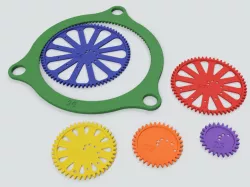
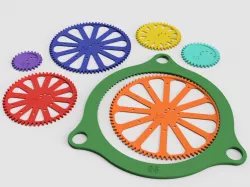
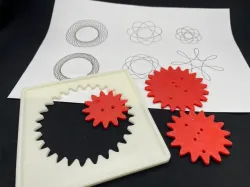
For kids from 7 to 77 years old! Here is a tool to draw beautiful geometric figures.
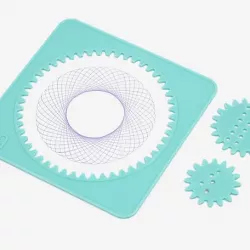
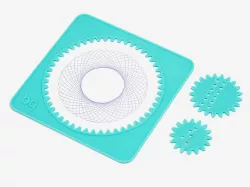
All elements are printable on a 15x15 cm tray
To draw:
Place a base on a sheet of paper, notches below.
Place a wheel in the center empty area, with its notches touching the notches on the base.
Place the tip of a pen or marker in one of the holes in the wheel: the hole closest to the edge will give an ample figure.
Spin the wheel, keeping the pen square to the paper.
Here is a link to a site with a great spirograph application:
https://seedcode.com/SpirographN/sgn.html
Parameters to set in this app:
Set the stator to 96
Use only one rotor by deleting unnecessary rotors with "X Delete last rotor". Check its option h (rotor inside)
Set the rotor to the number marked on each of my wheels
In Pen, the r value corresponds to the location on the rotor radius (corresponds to a selected hole on my own wheel), w to a line thickness, c to a pen color.
All my photo examples were created on this site.
To see all my creations on cults3d.com :
enter "oasisk" in the search window
or
click on the "all >" button on the line "other 3D models of the same designer"
Direct link to the original creator's page
Also Available On
More from oasisk



Similar Models
Model Specifications
Frequently Asked Questions
How do I download Spirograph?
Click the "View on cults3d" button above to visit the original model page on cults3d. You can download the STL file directly from the creator's page.
What 3D printer can I use for this model?
This STL file is compatible with most FDM 3D printers (Creality Ender 3, Prusa MK3S+, Bambu Lab, etc.) and resin printers (Elegoo, Anycubic). Check the original page for recommended print settings and materials.
Is this 3D model free to download?
This is a premium model priced at on cults3d. Premium models often include higher detail, multiple parts, and print-tested files.
Can I modify this STL file?
Most STL files can be modified using free software like Blender, TinkerCAD, or Meshmixer. Check the license on the original cults3d page to see if modifications are permitted by the creator.