 Thingiverse
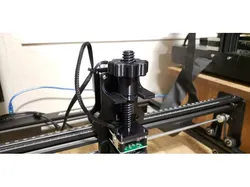
Atomstack A5 ''Z axis'' screw adjustment
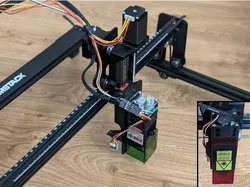
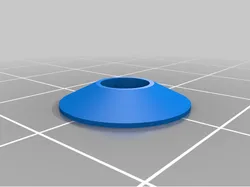
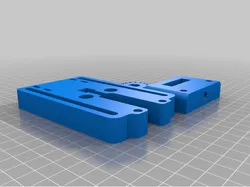
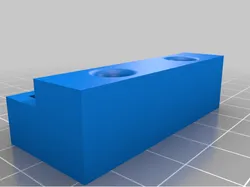
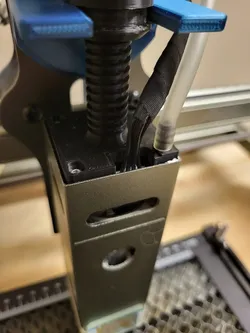
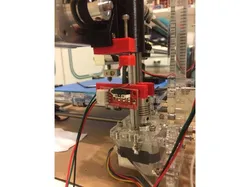
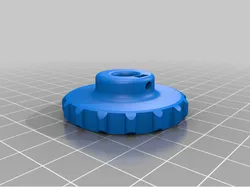
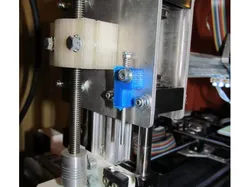
Make adjusting your atomstack laser head a breeze with just a few turns instead of trying to hold it at the right position while tightening your laser head.This design will allow full travel of the ''z axis''You will need to push the knob with quite some force to get it to slide in it's place on the ''knob holder'' but once it's in place the knob will rotate freely.It utilize the 4 screws that are holding the laser to hold the acme thread screw in place and won't compromise the rigidity of the board, fan and laser sandwich.You will only need to supply 2 machine screw the same diameter as the one holding the laser in place and 2 nut and they are for tightening the knob holder. In my case I didn't have any screw of that size closely available so I just enlarged the holes in the aluminum plate.Added an other version to the Knob holder that has hole spacing from 45mm to 50mm
Direct link to the original creator's page
More from shurtcut
Similar Models
 Thingiverse
 Thingiverse
 Thingiverse
 Thingiverse
 Thingiverse
 Thingiverse
 Thingiverse
 Thingiverse
Model Specifications
Frequently Asked Questions
How do I download Atomstack A5 ''Z axis'' screw adjustment?
Click the "View on Thingiverse" button above to visit the original model page on Thingiverse. You can download the STL file directly from the creator's page for free.
What 3D printer can I use for this model?
This model is compatible with most FDM 3D printers (Creality Ender 3, Prusa MK3S+, Bambu Lab, etc.) and resin printers (Elegoo, Anycubic). Check the original page for recommended print settings and materials.
Is this 3D model free to download?
Yes, this model is available as a free download on Thingiverse. Some creators accept tips or donations.
Can I modify this file?
Check the license (see original page) on the original Thingiverse page. Most STL files can be modified using free software like Blender, TinkerCAD, or Meshmixer.