 thingiverse
Sphere2Ring Script
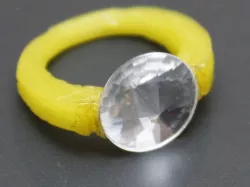
This parametric Sphere Cutter script will allow you to easily create jewelry accessoriers. You can create rings and bracelets from a sphere basic shape.
Gem inserts are available.
The idea of cutting spheres for rings is similar to "Ring a Thing" http://www.thingiverse.com/thing:13902
Instructions
Open the script with OpenScad. Set your parameters and check the result.
There are 3 different styles for cutting the side walls of the sphere.
You can cut sidewalls with another sphere (ctyps) or a flat plain (ctypf).
The cutting position is determined by two x-values, the upper (x1, fx1) and lower (x2,fx2) half of object's thickness.
The third method is the central cone (ctypu) which is defined by a distance from the center of the object (ux) and the half of cone's angle (ualpha).
Examples:
sp2ri_01.stl = sphere ring with a gem insert (green gem)
sp2ri_02.stl = bracelet
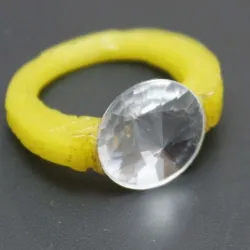
sp2ri_03.stl = flat ring with a gem insert (white gem)
I am still trying to find the best way for gluing the gems.
i glued the white gem by melting the PLA with a hot knife.
Then i used universal glue for the green gem. But still thats not the best way.
Maybe gluing in general is not the best way.
Direct link to the original creator's page
Also Available On
More from ablapo
Similar Models
 cults3d
 cgtrader
 3docean
 thingiverse
 cgtrader
 cgtrader
 pinshape
 thingiverse
Model Specifications
Frequently Asked Questions
How do I download Sphere2Ring Script?
Click the "View on thingiverse" button above to visit the original model page on thingiverse. You can download the STL file directly from the creator's page for free.
What 3D printer can I use for this model?
This STL file is compatible with most FDM 3D printers (Creality Ender 3, Prusa MK3S+, Bambu Lab, etc.) and resin printers (Elegoo, Anycubic). Check the original page for recommended print settings and materials.
Is this 3D model free to download?
Yes, this model is available as a free download on thingiverse. Some creators accept tips or donations.
Can I modify this STL file?
Most STL files can be modified using free software like Blender, TinkerCAD, or Meshmixer. Check the license on the original thingiverse page to see if modifications are permitted by the creator.