 thingiverse
Sonoff Basic WiFi Switch Case
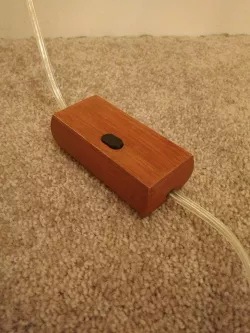
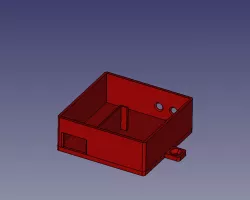
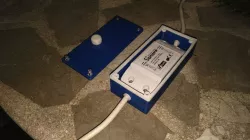
Aesthetically pleasing rounded case for the Sonoff Basic WiFi Smart Switch.
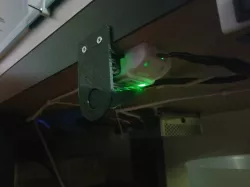
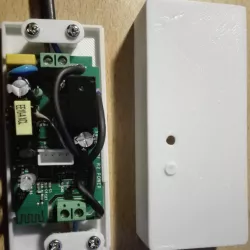
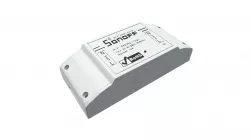
The white molded plastic enclosure for the Sonoff WiFi switch is functional, but not very pretty. This becomes particularly obvious when you are using the switch to control something fancy, like a decorative lamp. The Sonoff switch also has a bright green LED on it, which is useful for pairing, but can become a nuisance at night when you are trying to sleep.
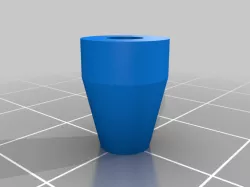
The oval button on top of this case transfers force down to the small black button on the Sonoff switch. So it is possible to turn appliances on and off while the switch is in its enclosure. The tail end of the oval button should be glued to the inside of the lid as shown.
I have found that by printing with wood-infused filament, and then applying a wood stain, I can get a pretty good wood-like finish on the box. I print the button out of black ABS and sand down the top to make it smooth.
I've included the OpenSCAD source, so this case could potentially be customized for larger or smaller switches.
Direct link to the original creator's page
More from planetsputt
Similar Models
 thingiverse
 thingiverse
 thingiverse
 thingiverse
 myminifactory
 thingiverse
 sketchfab
 cults3d
Model Specifications
Frequently Asked Questions
How do I download Sonoff Basic WiFi Switch Case?
Click the "View on thingiverse" button above to visit the original model page on thingiverse. You can download the STL file directly from the creator's page for free.
What 3D printer can I use for this model?
This STL file is compatible with most FDM 3D printers (Creality Ender 3, Prusa MK3S+, Bambu Lab, etc.) and resin printers (Elegoo, Anycubic). Check the original page for recommended print settings and materials.
Is this 3D model free to download?
Yes, this model is available as a free download on thingiverse. Some creators accept tips or donations.
Can I modify this STL file?
Most STL files can be modified using free software like Blender, TinkerCAD, or Meshmixer. Check the license on the original thingiverse page to see if modifications are permitted by the creator.