 CrealityCloud
Creality Cloud | Simple Catapult | No Supports | ملفات الطابعة ثلاثية الأبعاد
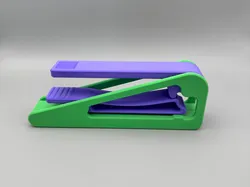
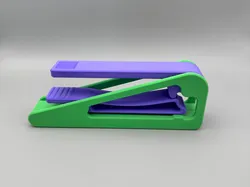
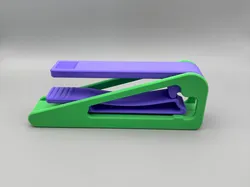
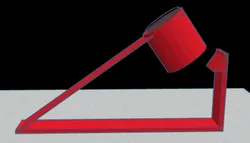
A quick-printing desktop catapult for launching small objects.This 4-part catapult design uses minimal filament and prints fast. Press the thumb pad to rotate the arm forward until it hits the stop—that's when your projectile launches. Release the button and gravity automatically resets the trigger for the next shot.Friction posts hold the two halves together with no hardware needed. The entire assembly is just four printed parts that snap together in seconds. Perfect for desktop fun with mini erasers, small balls, or whatever fits in the basket.Want to learn how this was designed? Check out our previous video for a complete design tutorial where we walk through the entire CAD process for this catapult.Why This Design Is Awesome:Quick Print - Minimal filament usage, fast print timesGravity Reset Trigger - Automatically returns to firing position4-Part Assembly - Snaps together in seconds, no hardwareNo Supports Required - Clean, easy printingLaunches Small Objects - Works with various lightweight projectilesFriction Post Design - Halves lock together securely
Direct link to the original creator's page
More from Macshay Creations
 CrealityCloud
 CrealityCloud
 CrealityCloud
 CrealityCloud
 CrealityCloud
 CrealityCloud
Similar Models
 Thingiverse
 CrealityCloud
 CrealityCloud
CrealityCloud
CrealityCloud
 CrealityCloud
 CrealityCloud
 CrealityCloud
 CrealityCloud
Model Specifications
Frequently Asked Questions
How do I download Creality Cloud | Simple Catapult | No Supports ...?
Click the "View on CrealityCloud" button above to visit the original model page on CrealityCloud. You can download the 3MF, STL file directly from the creator's page for free.
What 3D printer can I use for this model?
This model is compatible with most FDM 3D printers (Creality Ender 3, Prusa MK3S+, Bambu Lab, etc.) and resin printers (Elegoo, Anycubic). Check the original page for recommended print settings and materials.
Is this 3D model free to download?
Yes, this model is available as a free download on CrealityCloud. Some creators accept tips or donations.
Can I modify this file?
Check the license (see original page) on the original CrealityCloud page. Most STL files can be modified using free software like Blender, TinkerCAD, or Meshmixer.