 thingiverse
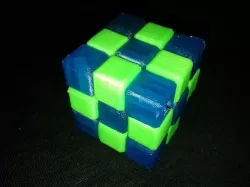
Snake Cube
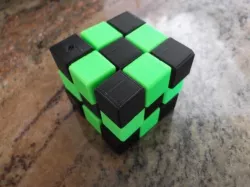
When I saw the Snake Cube Puzzle from epideath (http://www.thingiverse.com/thing:10486) I thought this would be a cool thing to make to learn FreeCAD.
Instructions
Print CompleteColorA.stl in one color and CompleteColorB.stl in another color. I used 20% infill and 0.1mm layer hight.
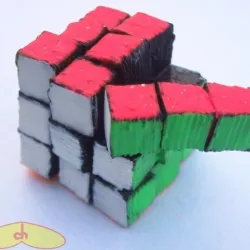
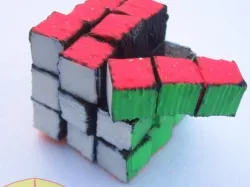
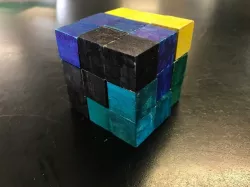
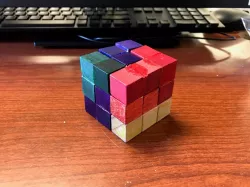
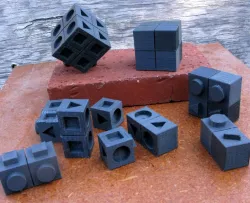
After printing both STLs you should have 27 cubes:
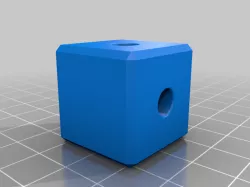
9 with straight holes,
16 with 90° corner holes and
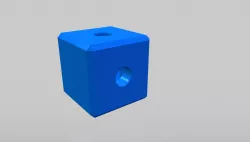
2 with straight holes which are bigger on one side.
Put all the cubes on an elastic thread in the order you can see on the 3rd picture. The 2 cubes with the bigger holes on one side are the end cubes (the bigger holes goe to the outside).
Make a knot on each end of the thread to keep the cubes together as tight as possible. The knots should go inside the big holes in the end cubes, but must not slide through the smaller holes! If they do, try making bigger knots, or use some CA glue to fix them.
If you habe problems solving the puzzle, here's a video where you can see how to do it:http://goo.gl/5efPB0
Direct link to the original creator's page
Also Available On
More from znib

Similar Models
Model Specifications
Frequently Asked Questions
How do I download Snake Cube?
Click the "View on thingiverse" button above to visit the original model page on thingiverse. You can download the STL file directly from the creator's page for free.
What 3D printer can I use for this model?
This STL file is compatible with most FDM 3D printers (Creality Ender 3, Prusa MK3S+, Bambu Lab, etc.) and resin printers (Elegoo, Anycubic). Check the original page for recommended print settings and materials.
Is this 3D model free to download?
Yes, this model is available as a free download on thingiverse. Some creators accept tips or donations.
Can I modify this STL file?
Most STL files can be modified using free software like Blender, TinkerCAD, or Meshmixer. Check the license on the original thingiverse page to see if modifications are permitted by the creator.