 CrealityCloud
Other STL تنزيل - Garfield Container with Surprise toy - 3DTimeWarp
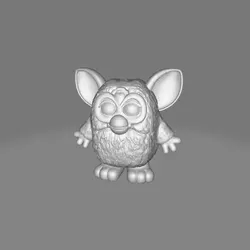
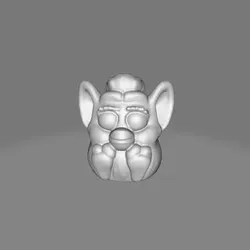
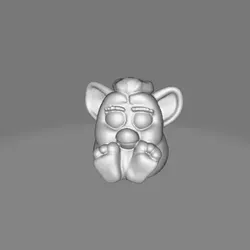
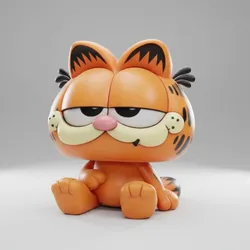
Design ConceptThe Garfield Container is designed with the concept of merging functionality and fun. Utilizing the iconic features of Garfield, this cute container can be used for storage while captivating with its playful design.PurposeThe intended use of the Garfield Container is to store small items or toys while adding a decorative element to a child's room or a fan's collection. The surprise toy element adds an interactive and enjoyable experience.Printing SuggestionsWhen printing the Garfield Container, using bright orange PLA filament is recommended to accurately capture Garfield's vibrant color. Fine-tune the 3D printer's layer height settings for smooth finish and prioritize using supports for overhanging parts.Assembly InstructionsEnsure that all printed pieces fit perfectly together. Align the components covered in contrasting colors, like the eyes and nose, with precision to make sure Garfield's face appears endearing. No specific tools are required for assembly beyond the standard removal tools for 3D prints.
Direct link to the original creator's page
More from 3DTimeWarp
 CrealityCloud
 CrealityCloud
 CrealityCloud
 CrealityCloud
 CrealityCloud
 CrealityCloud
Similar Models
CrealityCloud
 CrealityCloud
 CrealityCloud
 CrealityCloud
 CrealityCloud
 CrealityCloud
 CrealityCloud
 CrealityCloud
Model Specifications
Frequently Asked Questions
How do I download Other STL تنزيل - Garfield Container with Surpr...?
Click the "View on CrealityCloud" button above to visit the original model page on CrealityCloud. You can download the STL file directly from the creator's page for free.
What 3D printer can I use for this model?
This model is compatible with most FDM 3D printers (Creality Ender 3, Prusa MK3S+, Bambu Lab, etc.) and resin printers (Elegoo, Anycubic). Check the original page for recommended print settings and materials.
Is this 3D model free to download?
Yes, this model is available as a free download on CrealityCloud. Some creators accept tips or donations.
Can I modify this file?
Check the license (see original page) on the original CrealityCloud page. Most STL files can be modified using free software like Blender, TinkerCAD, or Meshmixer.