 thingiverse
ruby
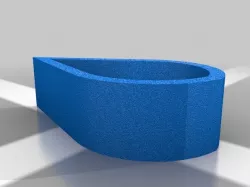
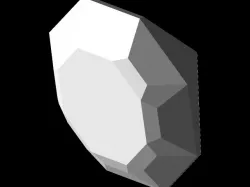
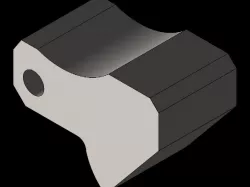
The Ruby Cookie Cutter/Stencil is a tool to help people draw a Tear-drop ruby. This stencil is very useful, because it can be used as a rain drop too, not just a ruby.
How I Designed This
Step #1 - Use the line tool to draw a diagonal line.
Step #2 - Use the line tool to draw another diagonal line from the point of the first diagonal line to form what looks like a triangle.
Step #3 - Use the 2-point Arc tool to draw a quarter circle from one of the end points of the virtual triangle (when drawn should take up half of the space).
Step #4 - Use the 2-point Arc tool to finish the rest of the shape (should take up other half).
Step #5 - Offset the shape then select the inner piece and press delete.
Step #6 - Push pull the shape and then you are done.
Direct link to the original creator's page
More from winfield2016
Similar Models

Model Specifications
Frequently Asked Questions
How do I download ruby?
Click the "View on thingiverse" button above to visit the original model page on thingiverse. You can download the STL file directly from the creator's page for free.
What 3D printer can I use for this model?
This STL file is compatible with most FDM 3D printers (Creality Ender 3, Prusa MK3S+, Bambu Lab, etc.) and resin printers (Elegoo, Anycubic). Check the original page for recommended print settings and materials.
Is this 3D model free to download?
Yes, this model is available as a free download on thingiverse. Some creators accept tips or donations.
Can I modify this STL file?
Most STL files can be modified using free software like Blender, TinkerCAD, or Meshmixer. Check the license on the original thingiverse page to see if modifications are permitted by the creator.