 Cults3D
Silicone Nozzle Cutting Guide (30/35/40/45°)
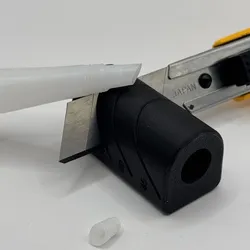
A simple angle cutting guide for caulk/silicone nozzles.
Choose 30°, 35°, 40° or 45° and cut cleanly with a utility knife—no more guessing.
This model is a cutting guide (jig) that helps you trim caulk/silicone nozzles at a consistent angle. The body includes marked angle options (30° / 35° / 40° / 45°) and guide grooves so you can make repeatable, clean cuts every time.
Why it’s useful:
-Perfect, repeatable angles for a cleaner bead and nicer finish
-Faster than cutting “by eye”
-Great for bathroom, kitchen, finishing work and tight corner
How to use:
-Insert the nozzle into the guide.
-Pick your angle (30/35/40/45).
-Place your blade in the matching groove and make one smooth cut.
-Done — ready to apply sealant.
Safety note
This tool is used with a blade—cut away from your hands and keep fingers clear of the cutting line.
Instagram:
You can also find me on Instagram — feel free to DM me for custom designs and commissions:
https://www.instagram.com/gs3d/
Buy Me a Coffee:
Want to support my work even more? ☕
buymeacoffee.com/GeometricStyle
Direct link to the original creator's page
More from GeometricStyle


Similar Models
 Thingiverse
 Thingiverse
 Thingiverse
 Printables
 Thingiverse
 Printables
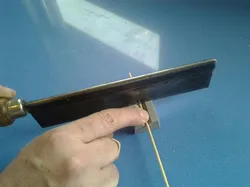 Thingiverse
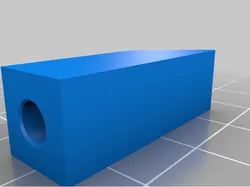 Thingiverse
Model Specifications
Frequently Asked Questions
How do I download Silicone Nozzle Cutting Guide (30/35/40/45°)?
Click the "View on Cults3D" button above to visit the original model page on Cults3D. You can download the STL file directly from the creator's page.
What 3D printer can I use for this model?
This model is compatible with most FDM 3D printers (Creality Ender 3, Prusa MK3S+, Bambu Lab, etc.) and resin printers (Elegoo, Anycubic). Check the original page for recommended print settings and materials.
Is this 3D model free to download?
This is a premium model priced at 0.5 EUR on Cults3D. Premium models often include higher detail, multiple parts, and print-tested files.
Can I modify this file?
Check the license (see original page) on the original Cults3D page. Most STL files can be modified using free software like Blender, TinkerCAD, or Meshmixer.