 thingiverse
Rocket Challenge
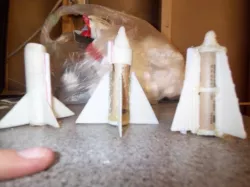
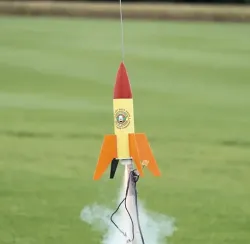
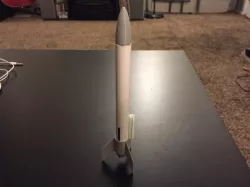
My buddy and I had a design challenge to see which one of us could design a rocket that flew the highest. As you can see by the video. It was pretty clear who the winner was.
The first rocket in the video is one i designed a long time ago and drilled out and hammered in a rocket motor http://www.thingiverse.com/thing:1337 :P
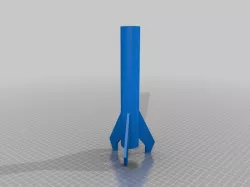
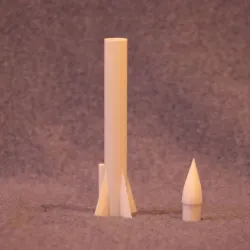
the second rocket launched is designed by me aka rocket challenge.stl (or something like that)
and the final rocket (launched twice) was my buddy gideon\'s and its part X i believe.
http://www.youtube.com/watch?v=yoNc0DGa-xk
Instructions
For use with C motors only but you\\'re welcome to try your own different motors.
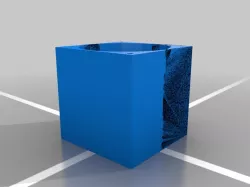
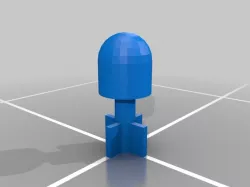
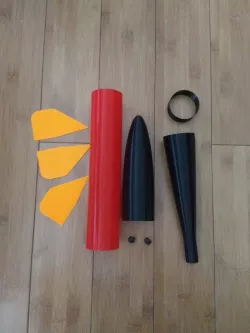
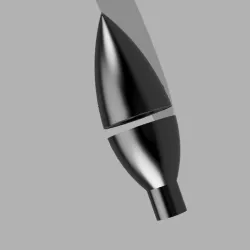
Rocketchallenge.stl = print, hot glue the little cylinder to the nose cone, slip the C motor in between the fins, and hot glue the fins to the C motor but make sure to leave a gap for the nose cone to slip down on top of it. (see video/picture)
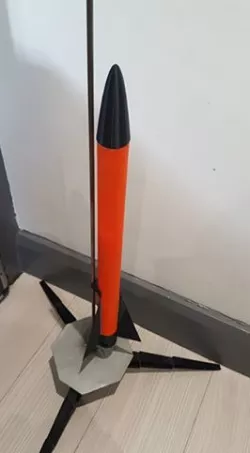
Partx.stl = print, dremel out the rings until they fit the C motor. hot glue the rings to the notches in the fins. Glue the nose cone on top and insert the motor. Dont forget the straw (see picture).
Direct link to the original creator's page
Also Available On
More from conrad2468
Similar Models

Model Specifications
Frequently Asked Questions
How do I download Rocket Challenge?
Click the "View on thingiverse" button above to visit the original model page on thingiverse. You can download the STL file directly from the creator's page for free.
What 3D printer can I use for this model?
This STL file is compatible with most FDM 3D printers (Creality Ender 3, Prusa MK3S+, Bambu Lab, etc.) and resin printers (Elegoo, Anycubic). Check the original page for recommended print settings and materials.
Is this 3D model free to download?
Yes, this model is available as a free download on thingiverse. Some creators accept tips or donations.
Can I modify this STL file?
Most STL files can be modified using free software like Blender, TinkerCAD, or Meshmixer. Check the license on the original thingiverse page to see if modifications are permitted by the creator.