 Thingiverse
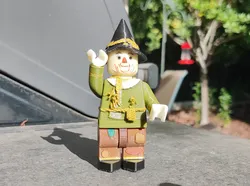
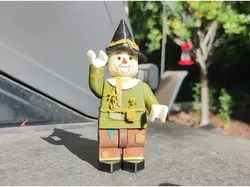
OZ - Scarecrow - 2X
Original Design Wizard of Oz Scarecrow - 2X (Double Size)Everything prints in the orientation of the models.Might want to use a brim to be safe.I printed at .12mm using Cura for slicingThin Walls should be on (enabled)For Legs Start with Black Filament,Switch to Straw at layer 55Switch to Brown at layer 65For Shirt (Torso), Straw sticking out of shirt should be cut with nippers close to extra support (don't allow additional supports in straw area).Next use a hair dryer to shape straw.Paint straw with acrylic paint after shaping.Use acrylic paints to add color to areas of models as desired.Depending on how well your printer prints, the head might be a little loose,If it is, just put a bit of masking tape around the inside of the neck and that should do it.Also recommend putting a thin strip of masking tape on posts of each of the arms and legs to allow for better posing.
Direct link to the original creator's page
More from johnmcwGeo
Similar Models
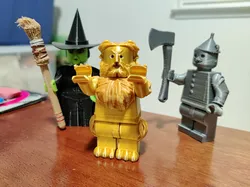
Model Specifications
Frequently Asked Questions
How do I download OZ - Scarecrow - 2X?
Click the "View on Thingiverse" button above to visit the original model page on Thingiverse. You can download the STL file directly from the creator's page for free.
What 3D printer can I use for this model?
This model is compatible with most FDM 3D printers (Creality Ender 3, Prusa MK3S+, Bambu Lab, etc.) and resin printers (Elegoo, Anycubic). Check the original page for recommended print settings and materials.
Is this 3D model free to download?
Yes, this model is available as a free download on Thingiverse. Some creators accept tips or donations.
Can I modify this file?
Check the license (see original page) on the original Thingiverse page. Most STL files can be modified using free software like Blender, TinkerCAD, or Meshmixer.