 CrealityCloud
Fișiere pentru imprimante 3D | Fișier 3MF | Rasp and File Handle
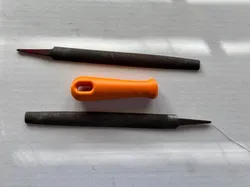
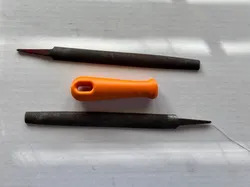
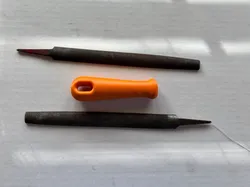
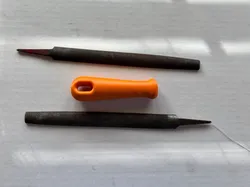
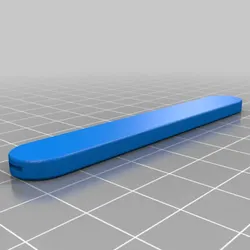
## Design Concept The design focuses on creating an ergonomic and easy-to-use handle for common tools like rasps and files. Its simple yet effective design ensures that users can easily replace or use it with various tools. ## Purpose This design is meant for enhancing the grip and comfort when using rasps and files, making it ideal for woodworking, metalworking, and other DIY projects. ## Printing Recommendations Use durable filament such as PETG or ABS for best results, ensuring the handle can withstand regular use. A layer height of 0.2mm is recommended to balance strength and surface finish. Infill of 40% should provide enough strength for functional use in conjunction with 4-6 wall layers, 25% infil is sufficient for 8+ walls. ## Assembly Instructions Simply tap the Rasp or File tang into the pre-designed hole in the handle. Ensure it fits snugly to prevent any wobbling during use. If not snug heat the tang just enough to upset the plastic ensuring a tight fit, note ONLY WORKS WHEN PRINTED WITH HIGH WALL LAYER COUNT!!!
Direct link to the original creator's page
More from Zebs_K1CNC
 CrealityCloud
 CrealityCloud
 CrealityCloud
 CrealityCloud
 CrealityCloud
 CrealityCloud
Similar Models
 CrealityCloud
 CrealityCloud
 CrealityCloud
 Thingiverse
 CrealityCloud
 CrealityCloud
 Thingiverse
 CrealityCloud
Model Specifications
Frequently Asked Questions
How do I download Fișiere pentru imprimante 3D | Fișier 3MF | Ras...?
Click the "View on CrealityCloud" button above to visit the original model page on CrealityCloud. You can download the 3MF, STL file directly from the creator's page for free.
What 3D printer can I use for this model?
This model is compatible with most FDM 3D printers (Creality Ender 3, Prusa MK3S+, Bambu Lab, etc.) and resin printers (Elegoo, Anycubic). Check the original page for recommended print settings and materials.
Is this 3D model free to download?
Yes, this model is available as a free download on CrealityCloud. Some creators accept tips or donations.
Can I modify this file?
Check the license (CC BY-NC-SA) on the original CrealityCloud page. Most STL files can be modified using free software like Blender, TinkerCAD, or Meshmixer.