 thingiverse
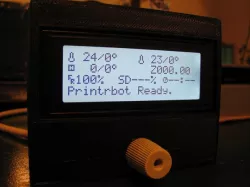
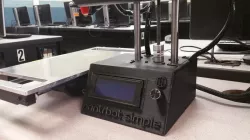
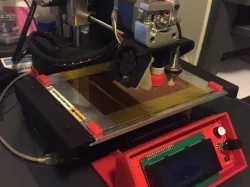
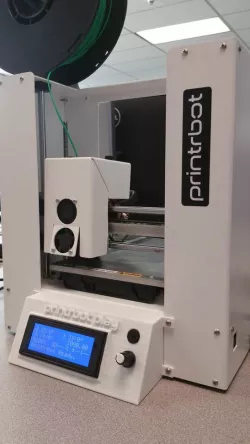
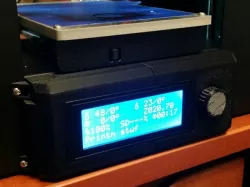
Printrbot compatable LCD Display with case.
This is my schematic, board layout file, bezel and back stl files for my Printrbot Simple Metal LCD Display. This should work with any 3D printer that uses Rev-D of the printrboard with thier firmware. I discussed this on their forums But printrbot has taken them down... I have left the link here in case the wayback machine archived it...( http://help.printrbot.com/Answers/View/9702/What+LCDs+work+with+the+Printrboard+Rev.+D#answer9885 ) Basic board build can be seen on my blog - AT THIS LINK (Yes, that is a wayback machine link as I had to close my blog) See the instructions for more details. THIS BEZEL WILL NOT FIT THE OFFICIAL PRINTRBOT LCD
Instructions
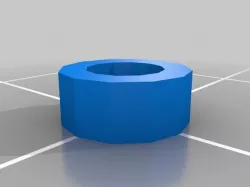
Manufacture the board as laid out. Build with all components on the back of the board except the rotary encoder and LCD. Attach Standard 20x4 LCD directly to the base board with header soldered on both sides. Printed washers are to act as spacers between the LCD board and the manufactured board. Completed board assembly should fit into the bezel, add the back with M3x18 screws.
Enjoy
Direct link to the original creator's page
More from s
Similar Models
 youmagine
 thingiverse
 thingiverse
 thingiverse
 cults3d
 thingiverse
 thingiverse
 thingiverse
Model Specifications
Frequently Asked Questions
How do I download Printrbot compatable LCD Display with case.?
Click the "View on thingiverse" button above to visit the original model page on thingiverse. You can download the STL file directly from the creator's page for free.
What 3D printer can I use for this model?
This STL file is compatible with most FDM 3D printers (Creality Ender 3, Prusa MK3S+, Bambu Lab, etc.) and resin printers (Elegoo, Anycubic). Check the original page for recommended print settings and materials.
Is this 3D model free to download?
Yes, this model is available as a free download on thingiverse. Some creators accept tips or donations.
Can I modify this STL file?
Most STL files can be modified using free software like Blender, TinkerCAD, or Meshmixer. Check the license on the original thingiverse page to see if modifications are permitted by the creator.