 thingiverse
Printer Tolerance Test
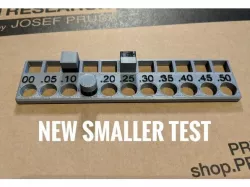
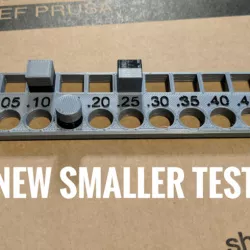
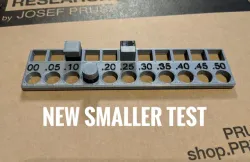
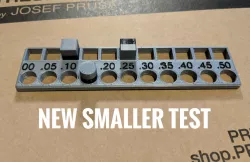
6/10/19 Update: I went to print a test for my new printer and I was surprised by how much filament this used. The new model, "Small Test.stl" uses less filament and prints quicker. I got rid of the various chamfers and the text is now raised so it's possible to print the text in a different color. There are also smaller versions of the pegs.
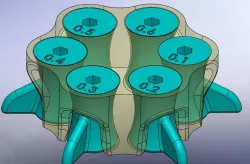
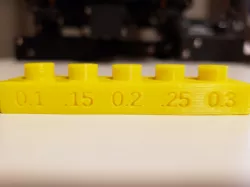
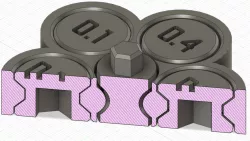
I needed a way of knowing how various parts that I designed would fit together without a bunch of trial and error and wasted filament, so I designed this test. The markings on the test show the clearance in millimeters for each set of holes. Simply push the pegs in to get an idea of what the fit is like. If the fit is so tight that you can't get the peg out, just print some more pegs.
When the pegs are printed vertically, the ridges from the layers will create some friction. I recommend printing some pegs vertically and some horizontally so you can see how both orientations affect the fit.
Around the sides of the test, I added 1, 2, 3, and 4mm chamfers that can be a handy reference when designing. I didn't label the chamfer on the bottom, but that one is 1.5mm.
Print Settings
Printer Brand:
Wanhao
Printer:
Wanhao Duplicator i3 V2
Rafts:
No
Supports:
No
Resolution:
.2mm
Infill:
15%
Direct link to the original creator's page
Also Available On
More from str8
Similar Models

Model Specifications
Frequently Asked Questions
How do I download Printer Tolerance Test?
Click the "View on thingiverse" button above to visit the original model page on thingiverse. You can download the STL file directly from the creator's page for free.
What 3D printer can I use for this model?
This STL file is compatible with most FDM 3D printers (Creality Ender 3, Prusa MK3S+, Bambu Lab, etc.) and resin printers (Elegoo, Anycubic). Check the original page for recommended print settings and materials.
Is this 3D model free to download?
Yes, this model is available as a free download on thingiverse. Some creators accept tips or donations.
Can I modify this STL file?
Most STL files can be modified using free software like Blender, TinkerCAD, or Meshmixer. Check the license on the original thingiverse page to see if modifications are permitted by the creator.