 Thangs
Anycubic Kobra S1 Riser LITE
NEW: Added an Ace-pro V1 to Ace-pro V2 adapter. Free to download on Makeronline: https://www.makeronline.com/en/model/Ace-pro%201%20to%20Ace-pro%202%20Adapter/279394.html?trackModuleType=10
This model is a riser for the Anycubic Kobra S1. It is a LITE version of my S1 Riser. It does not have all the features but is quicker to print and uses less filament (a little more than half a spool). It requires about 1.5 kg.
The LITE riser sits on top of the Kobra S1. It does not have the LED tracks, a sign and the build is more compact.
The full version S1 riser is available here: https://cults3d.com/en/3d-model/tool/anycubic-kobra-s1-riser
The S1 LITE riser features (some of the add-on features are available as free to download models on Makeronline):
Two large storage drawers with customizable compartments.
Side mounted external spool and mount;
Corner filament guide. It helps prevents jams and tangles by routing the filament around corner and connects to the rear Bowden tube;
Integrated build plate holder that can hold multiple build plates;
Tool tray add on
Specifications:
The S1 LITE riser adds 15 cm (6 inches) of height to the Kobra S1 and Ace pro combo.
Total height with Ace pro opened is approximately 107 cm (42 inches).
The Kobra S1 riser requires about 1.5 kg of filament for the base unit including drawers and inlays.
Instructions
All parts are snap fit and require no external hardware. Glue is optional.
If you are not using my print profile - the BP holder needs to be mirrored.
See the instruction gif in the model's description photos. I also uploaded a zip file with all the instruction photos.
Add-ons and external model links - available for free download on Makeronline:
RECOMMENDED - Side mounted external spool holder with interchangeable spindles: https://www.makeronline.com/en/model/Interchangeable%20spool%20holder%20for%20Kobra%20S1%20riser/185868.html
Side mounted external spool holder.
Link: https://www.makeronline.com/en/model/Side%20Spool%20holder%20for%20Kobra%20S1%20riser/157314.html
https://www.makeronline.com/en/model/EXTERNAL%20SPOOL%20HOLDER%20FOR%20KOBRA%20S1%20RISER/162262.html
Corner filament guide
Link: https://www.makeronline.com/en/model/Filament%20guide%20for%20Kobra%20S1%20riser/157315.html
Tooltray (use the LITE version):
Link: https://www.makeronline.com/en/model/Tool%20Tray%20for%20Kobra%20S1%20Riser%20LITE/159532.html
Drawer comparments
Link: https://www.makeronline.com/en/model/Drawer%20compartments%20for%20Kobra%20S1%20riser/157319.html
Hot end tray (design by aeromedic7 on MO) https://www.makeronline.com/en/model/Noozle%20and%20hot%20end%20tray%20for%20Kobra%20S1%20Riser%20(Kobra%20S!%20Riser%20by%20Darren%203D%20Prints)/172411.html
Nozzle and hot end compartment (by Brody Richardson): https://www.makeronline.com/en/model/Gridfinity%20Nozzle%20and%20hotend%20compartment%20for%20S1%20Riser/180020.html?fbclid=IwY2xjawKF1ElleHRuA2FlbQIxMABicmlkETFMNmdBd1Bia1NOM2prZlZsAR7auQOcwW2oU3aHYwKsY49Vxl2yY-848MtM7ZOxXPqHeE6gdu08sQR4-sdSfA_aem_PIkve61tzVdUrS1dSXmNdw
Side inserts with lid holder:
https://www.makeronline.com/en/model/KOBRA%20S1%20RISER%20Lid%20holder%20side%20inserts/184870.html
3d printing
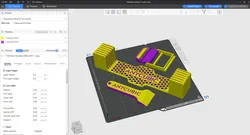
A print profile is included for the S1. I highly recommend you use the print profile as all the support is painted and the parts are correctly positioned.
I HAVE PAINTED SUPPORT ON ALL PARTS ON THE INCLUDED PRINT PROFILE. SLICE IT USING TREE MANUAL.
I have printed each part and tested everything. Tolerances are tight where they have to be. If you are having issues with your printer, your filament or adhesion I suggest you ask for help on Facebook or a forum as I cannot help you there.
Direct link to the original creator's page
More from Darren 3d Print

Similar Models
 Thangs
 Thangs
 Thangs
 Thangs
 Thingiverse
 Cults3D
 Thingiverse
 Thangs
Model Specifications
Frequently Asked Questions
How do I download Anycubic Kobra S1 Riser LITE?
Click the "View on Thangs" button above to visit the original model page on Thangs. You can download the 3MF file directly from the creator's page for free.
What 3D printer can I use for this model?
This model is compatible with most FDM 3D printers (Creality Ender 3, Prusa MK3S+, Bambu Lab, etc.) and resin printers (Elegoo, Anycubic). Check the original page for recommended print settings and materials.
Is this 3D model free to download?
Yes, this model is available as a free download on Thangs. Some creators accept tips or donations.
Can I modify this file?
Check the license (Thangs Standard License) on the original Thangs page. Most STL files can be modified using free software like Blender, TinkerCAD, or Meshmixer.