 myminifactory
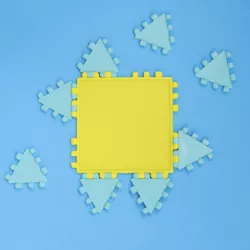
Polypanels // Cross Section
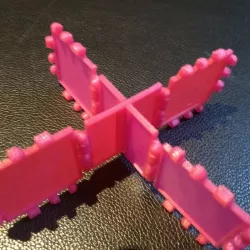
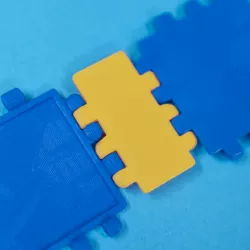
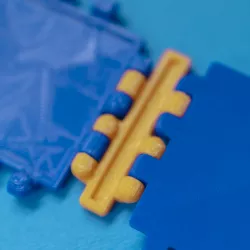
There are types of Cross Sections included at the moment (listed below).Each file contains 1 half of a type of cross section.So you need to print it twice.You can then slide these 2 halves into eachother to create the complete cross section.
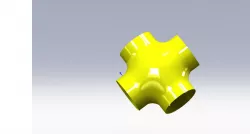
> Cross Section
As depicted in the photos.You can attatch other Polypanels on the 4 sides.
> Cross Section - flip
Same as the Cross Section above. Except the connectors are flipped on one side.
> Double Cross Section
Extra connectors added to the 3rd side (the side opposite the slit).You can now attach other Polypanels on all 6 sides.
> Double Cross Section - flip
Same as the Double Cross Section above. Except the connectors are flipped on one side.
Possible future additions:
Different widths (1/4, 1/2, ???)
Different styles (vsolid, solid, open, edges)
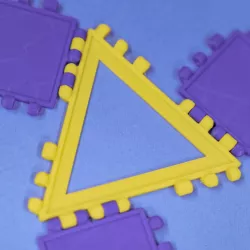
Triangle cross section?!
Direct link to the original creator's page
More from westen
Similar Models

Model Specifications
Frequently Asked Questions
How do I download Polypanels // Cross Section?
Click the "View on myminifactory" button above to visit the original model page on myminifactory. You can download the STL file directly from the creator's page.
What 3D printer can I use for this model?
This STL file is compatible with most FDM 3D printers (Creality Ender 3, Prusa MK3S+, Bambu Lab, etc.) and resin printers (Elegoo, Anycubic). Check the original page for recommended print settings and materials.
Is this 3D model free to download?
This is a premium model priced at on myminifactory. Premium models often include higher detail, multiple parts, and print-tested files.
Can I modify this STL file?
Most STL files can be modified using free software like Blender, TinkerCAD, or Meshmixer. Check the license on the original myminifactory page to see if modifications are permitted by the creator.