 thingiverse
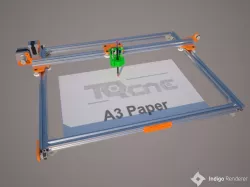
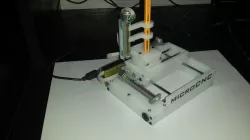
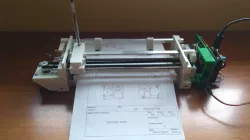
Plotter ver 2
Plotter version 2
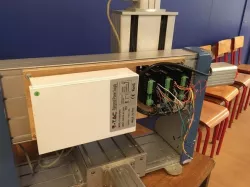
## Material:
- Arduino Uno R3
- GRBL Shield V3
- 2 Stepper Motor 1.8 degree
- 2 Stepper Driver A4988
- Tower Pro SG90 9g Micro servo
## Setup
- Download Arduino IDE from https://www.arduino.cc/
- Install and Open Arduino IDE
- Import MIGRBL.zip to libraries: Sketch > Include Library > Add .ZIP Library...
- Selected MIGRBL.zip to import
- Connect Arduino Uno R3 via USB cable, select File > Examples > MIGRBL > grblUpload
- Select correct information for board from Tools:
Board: "Arduino/Genuino Uno"
Port: USB port for Arduino Uno
Programmer: "AVRISP mkll"
- Click to button Upload
## Gcode Editor Tools Setup
- Download and setup Inkscape version 0.48.5 (https://inkscape.org/release/inkscape-0.48.5/)
- Unzip tools/MI Inkscape Extension.zip and copy all of file to inkscape extensions folder
MAC: ~/.config/inkscape/extensions/
WINDOW: ...
## Gcode Sender Tool
- GRBL Controller: https://github.com/zapmaker/GrblHoming/releases
## Demo
- https://www.youtube.com/watch?v=Rj0R-PmCwWo
## Download All in One
- https://github.com/diy3dvn/grbl-plotter
Direct link to the original creator's page
More from nntuan
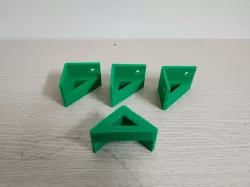
Similar Models
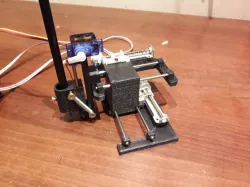 thingiverse
 thingiverse
 grabcad
 thingiverse
 thingiverse
 thingiverse
 thingiverse
 thingiverse
Model Specifications
Frequently Asked Questions
How do I download Plotter ver 2?
Click the "View on thingiverse" button above to visit the original model page on thingiverse. You can download the STL file directly from the creator's page for free.
What 3D printer can I use for this model?
This STL file is compatible with most FDM 3D printers (Creality Ender 3, Prusa MK3S+, Bambu Lab, etc.) and resin printers (Elegoo, Anycubic). Check the original page for recommended print settings and materials.
Is this 3D model free to download?
Yes, this model is available as a free download on thingiverse. Some creators accept tips or donations.
Can I modify this STL file?
Most STL files can be modified using free software like Blender, TinkerCAD, or Meshmixer. Check the license on the original thingiverse page to see if modifications are permitted by the creator.