 thingiverse
PlotClock Makerbot friendly
http://youtu.be/XIli5htvvVohttp://youtu.be/PLDOygEsHCk
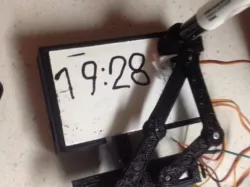
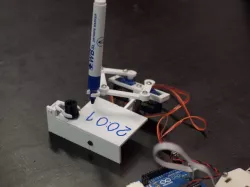
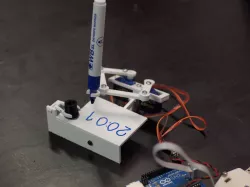
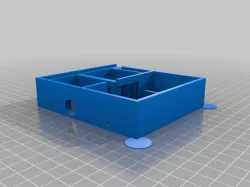
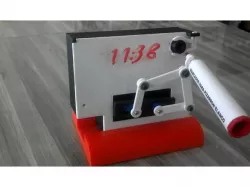
This version prints easily on a makerbot replicator.
The platform is rigid and has a raised lip to hold a cut down dry erase board. (53mm x 86mm).
Instructions
Printed on makerbot replicator1 at 20mm layers with no support.
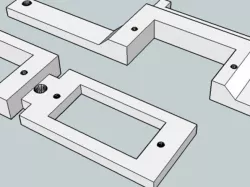
The platform has supports built in for the only overhang that couldn't be spanned.
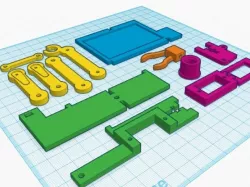
1...Print 1 of each piece except ArmServoEnd.. print 2 of those.
2...Cut a 53mm x 86mm piece from a dry erase board.
3...I used long laptop screws for the hinges. Just let them self tap into the small holes.
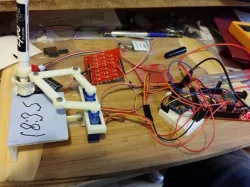
4...Load the sketch onto the arduino..
5...Plug in the arduino, let it move the servos to the parking position (it will pause at this position for almost a minute at a time) unplug the arduino to align the arms.
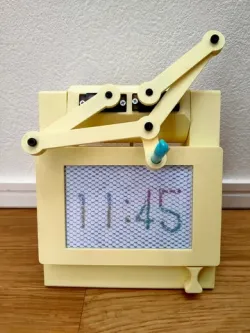
6...Line up the arms like the first picture. The arms should be lifted off the platform about 14-15 mm. The left arm should be straight and pointing toward the sweep clip. The right arm will be aiming towards the right then bend almost strait up. The pen holder should be in the center of the sweeper clip.(you can use the sweeper to measure the height)
After the arms are installed, it will catch on the sweeper clip if you run it without a pen or the sweeper.. remove the clip if you want to test it without them.
I added a sketch that should reverse the servos. You will need to realign the arms to use it. (only use the reverse sketch if your servos are running backwards)
Direct link to the original creator's page
More from harlandmii
Similar Models
Model Specifications
Frequently Asked Questions
How do I download PlotClock Makerbot friendly?
Click the "View on thingiverse" button above to visit the original model page on thingiverse. You can download the STL file directly from the creator's page for free.
What 3D printer can I use for this model?
This STL file is compatible with most FDM 3D printers (Creality Ender 3, Prusa MK3S+, Bambu Lab, etc.) and resin printers (Elegoo, Anycubic). Check the original page for recommended print settings and materials.
Is this 3D model free to download?
Yes, this model is available as a free download on thingiverse. Some creators accept tips or donations.
Can I modify this STL file?
Most STL files can be modified using free software like Blender, TinkerCAD, or Meshmixer. Check the license on the original thingiverse page to see if modifications are permitted by the creator.