 grabcad
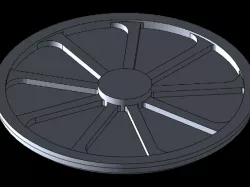
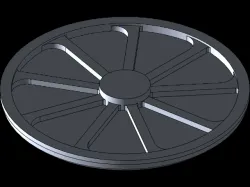
plate
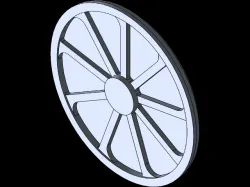
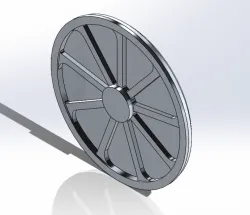
step1: on the right plane sketch half the length of the object to be created.step2: create your objects rough outline the dimension to specified lengths and angles using blue prints given.step3: create an axis of rotation by creating construction linestep4: using revolve boss base you can either choose the edge of the sketch or the axis you madestep5: once object is made 3 dimensional you can than click the surface and sketch on for the extrusion you want, this can be done by right clicking and choosing sketch.step6: using another construction line you can make a center line from the middle of the object to any edge of your liking.step7: sketch out line that will be extruded, for the corners use the sketch fillet tool to make your arced corners and specify radius using smart dimension.step8: boss extrude that sketch you just made off of the surface sketched on to the specified height step9: in the linear pattern tool there will be a drop down for circular pattern, click that and the entity you'd like to rotate. step10: set the entities to 9 with equal spacing step11: configure material to 1060 alloy
Direct link to the original creator's page
Also Available On
More from tyler
Similar Models
Model Specifications
Frequently Asked Questions
How do I download plate?
Click the "View on grabcad" button above to visit the original model page on grabcad. You can download the STL file directly from the creator's page for free.
What 3D printer can I use for this model?
This STL file is compatible with most FDM 3D printers (Creality Ender 3, Prusa MK3S+, Bambu Lab, etc.) and resin printers (Elegoo, Anycubic). Check the original page for recommended print settings and materials.
Is this 3D model free to download?
Yes, this model is available as a free download on grabcad. Some creators accept tips or donations.
Can I modify this STL file?
Most STL files can be modified using free software like Blender, TinkerCAD, or Meshmixer. Check the license on the original grabcad page to see if modifications are permitted by the creator.