 cults3d
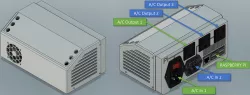
Multiple 3D printer Controller, one Raspberry Pi
How to control multiple 3D printers with one Raspberry Pi:
Replicantfx.com, Controlling Multiple 3D Printers
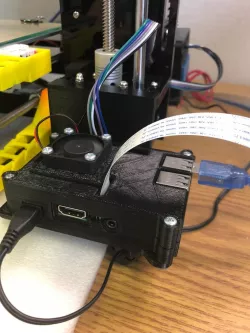
Like most of you I have been controlling my 3D printers with Octoprint for years. With each new printer came a new Raspberry Pi. So, when I got my 4th printer, I headed to my usual sources to get another Pi to act as a server. It is then that I discovered that the supply shortages of the last few years (circa 2022) had driven the price of a Pi well over $100 USD. I picked my jaw back off the ground and went looking for a solution that wouldn’t cost half the price of my cheapest printer. I started by looking at running multiple Octoprint instances per Pi. I found this could be done through some clever hacking, containers and dockers. Honestly though, I just wanted to print and avoid as many headaches as possible, so I kept looking. Eventually I stumbled on Repetier Sever.
This little software package was exactly what I was looking for. The free version could control up to 5 printers, allows for custom I/O operations, custom event driven G-Code and much more. Browsing around the site I also found that a ready to go Raspberry Pi image was available for download. This was definitely the easy button option. I decided to go for it and was blown away by how simple the whole process was. I salvaged a Raspberry Pi from one of my existing printers and was able to build up the rest of the server for less than $40 USD.
For a complete tutorial, configurations and bill of materials, head to:
Replicantfx.com, Controlling Multiple 3D Printers
Direct link to the original creator's page
Also Available On
More from hawk

Similar Models
 thingiverse
 thingiverse
 thingiverse
 thingiverse
 thingiverse
 thingiverse
 thingiverse
 thingiverse
Model Specifications
Frequently Asked Questions
How do I download Multiple 3D printer Controller, one Raspberry Pi?
Click the "View on cults3d" button above to visit the original model page on cults3d. You can download the STL file directly from the creator's page.
What 3D printer can I use for this model?
This STL file is compatible with most FDM 3D printers (Creality Ender 3, Prusa MK3S+, Bambu Lab, etc.) and resin printers (Elegoo, Anycubic). Check the original page for recommended print settings and materials.
Is this 3D model free to download?
This is a premium model priced at on cults3d. Premium models often include higher detail, multiple parts, and print-tested files.
Can I modify this STL file?
Most STL files can be modified using free software like Blender, TinkerCAD, or Meshmixer. Check the license on the original cults3d page to see if modifications are permitted by the creator.