 myminifactory
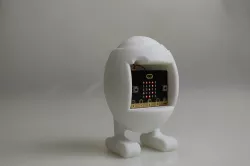
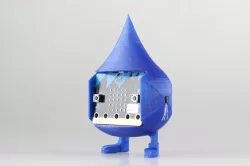
Micro:bit Egg Timer
TUTORIAL
Would you like to cook eggs like a chef but all the different durations of cooking drive you crazy?
Relax! This fun timer will guarantee you the perfect cooking time. On top of that, you can personalise it by changing the duration of cooking and adding a special tone.
You will need:
1 3D printer + filament
2 AAA 1.5V Batteries + Battery holder
1 BBC Micro:bit
Step 1 : Print your egg timer
Simply download the STL file of the timer on this page.
Next, you will have to slice the parts. That means to generate a code, representative of your 3D part which your printer will be able to understand. This action is called “slicing” because your printer prints layer by layer and the software needs to calculate the path that the printer's nozzle will follow. Make sure to use the appropriate slicer for your 3D printer, ask your teacher if you need help!
Here are the settings for printing your timer: speed at 70 mm/s, 0.2mm layer height, 10% infill, temperature between 200ºC and 240ºC.
Step 2: Flash your micro:bit !
You can download the code by clicking on the link below or on the zip file on this page. Click on the button “Compile” to download the code on your computer. Then, drag and drop the file into the micro:bit icon on your computer section.
https://www.microbit.co.uk/lwphmuidyq
You can find explanations of the code on the file attached. Feel free to change the code to personalize yout timer!
Enjoy !
Direct link to the original creator's page
More from luci
Similar Models
 myminifactory
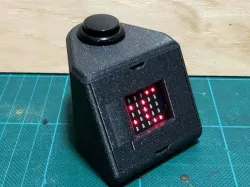 cults3d
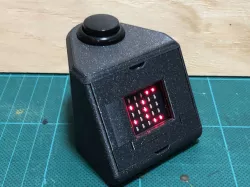 thingiverse
 thingiverse
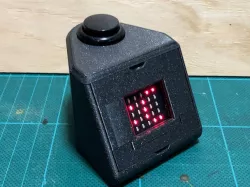 prusaprinters
 myminifactory
 myminifactory
 thingiverse
Model Specifications
Frequently Asked Questions
How do I download Micro:bit Egg Timer?
Click the "View on myminifactory" button above to visit the original model page on myminifactory. You can download the STL file directly from the creator's page.
What 3D printer can I use for this model?
This STL file is compatible with most FDM 3D printers (Creality Ender 3, Prusa MK3S+, Bambu Lab, etc.) and resin printers (Elegoo, Anycubic). Check the original page for recommended print settings and materials.
Is this 3D model free to download?
This is a premium model priced at on myminifactory. Premium models often include higher detail, multiple parts, and print-tested files.
Can I modify this STL file?
Most STL files can be modified using free software like Blender, TinkerCAD, or Meshmixer. Check the license on the original myminifactory page to see if modifications are permitted by the creator.