 Thingiverse
IR Filament Sensor Housing for Zaribo Extruder
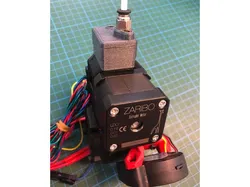
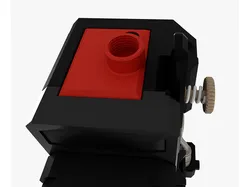
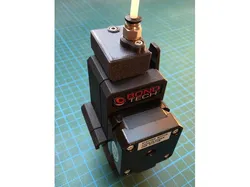
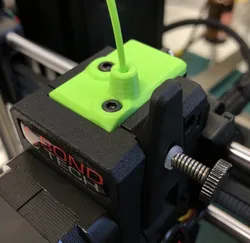
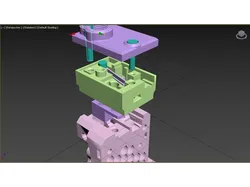
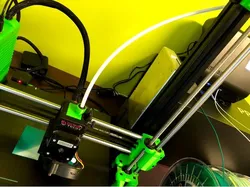
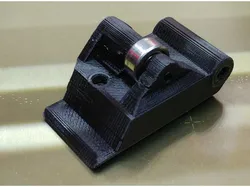
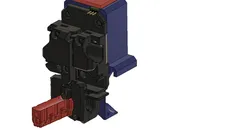
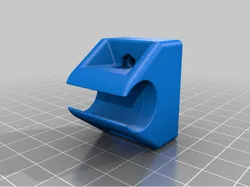
Bondtech has provided a nice housing for the new IR filament sensor on Bondtech extruder for Prusa / Bear / Zaribo: https://github.com/BondtechAB/Bondtech_Prusa_i3/tree/master/CAD-Files.This is a remix of this original design for the Zaribo extruder. Changes comprise:new cover for push-fit connector for inverse bowden set-upnew cover for "regular" filament feedingslightly moved magnet for greater attractionslightly modified lever for same reasonslightly thicker walls of the housing for better printingIn addition to the screws mentioned in the Bondtech manual 1 M3 hex nut, 1x M3 square nut and one M3x10mm socket head cap screw are needed.Update 01.05.2019: Thanks Stefan Weber for providing a third cover for the Mosaic Palette 2Update 02.05.2019: I updated the sensor housing. The diameter of the hole for the screw for the lever is corrected.Update 04.05.2019: updated version of the Mosaic coverUpdate 07.05.2019: correct version of lever uploaded
Direct link to the original creator's page
More from wschadow
 Thingiverse
 Thingiverse
 Thingiverse
 Thingiverse
 Thingiverse
 Thingiverse
Similar Models
 Thingiverse
 Thingiverse
Thingiverse
Thingiverse
 Thingiverse
 Thingiverse
 Thingiverse
 Printables
 Thingiverse
Model Specifications
Frequently Asked Questions
How do I download IR Filament Sensor Housing for Zaribo Extruder?
Click the "View on Thingiverse" button above to visit the original model page on Thingiverse. You can download the STL file directly from the creator's page for free.
What 3D printer can I use for this model?
This model is compatible with most FDM 3D printers (Creality Ender 3, Prusa MK3S+, Bambu Lab, etc.) and resin printers (Elegoo, Anycubic). Check the original page for recommended print settings and materials.
Is this 3D model free to download?
Yes, this model is available as a free download on Thingiverse. Some creators accept tips or donations.
Can I modify this file?
Check the license (see original page) on the original Thingiverse page. Most STL files can be modified using free software like Blender, TinkerCAD, or Meshmixer.