 prusaprinters
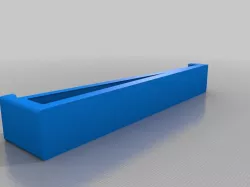
Logitech K830 mount
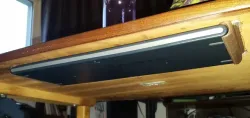
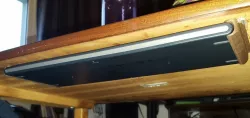
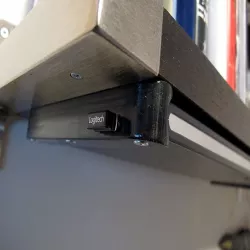
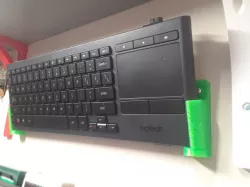
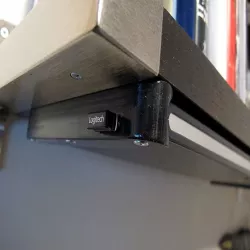
Slide your Logitech Illuminated Living-Room Keyboard K830 under the coffee table for a clutter free experience when you're not using your HTPC.
Print Settings
Printer:
Ultimaker Original+
Rafts:
No
Supports:
Yes
Notes:
Some supports for the overhang can be nice, but if you have really good cooling you might be able to get away without it.
Print one as is, and one mirrored.
Post-Printing
Mount it under the table
Turn the table upside down. Turn your keyboard upside down, and lay it on the underside of your table top.
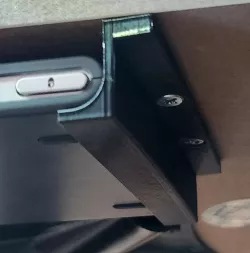
Place the printed mounts on each side of the keyboard. Mark their location with a pencil. Check that the keyboard is free to move out. Note that there are two small stoppers to prevent it from being pushed too far in.
Get your hot glue gun out. Move the keyboard and the mounts out of the way, and lay down a fat line of glue where one of the mounts will be. Be quick to plop down the mount, align it before it's too late, and let the hot glue set. Now put the keyboard back in place and check alignment. Readjust the position of the second mount if needed.
Glue the other mount. Turn your table back the right way around. At this point it might be necessary to then rotate your table 180 degrees in the XY plane in order for the keyboard to face in the desired direction. If that is the case, rotate the table while wearing a dunce hat.
You are now ready to enjoy a new life with a living room table that may, or, and this is the important part, may not, have a keyboard on top of it.
How I Designed This
FreeCAD
I faffed about in FreeCAD a lot. You may not have the CAD files because they are embarassingly bad. But it is the end result that counts, right? Now enjoy your keyboard mount and lemmelone.
Category: Organization
Direct link to the original creator's page
Also Available On
More from dampmaskin

Similar Models
 thingiverse
 thingiverse
 thingiverse
 thingiverse
 prusaprinters
 thingiverse
 prusaprinters
 myminifactory
Model Specifications
Frequently Asked Questions
How do I download Logitech K830 mount?
Click the "View on prusaprinters" button above to visit the original model page on prusaprinters. You can download the STL file directly from the creator's page for free.
What 3D printer can I use for this model?
This STL file is compatible with most FDM 3D printers (Creality Ender 3, Prusa MK3S+, Bambu Lab, etc.) and resin printers (Elegoo, Anycubic). Check the original page for recommended print settings and materials.
Is this 3D model free to download?
Yes, this model is available as a free download on prusaprinters. Some creators accept tips or donations.
Can I modify this STL file?
Most STL files can be modified using free software like Blender, TinkerCAD, or Meshmixer. Check the license on the original prusaprinters page to see if modifications are permitted by the creator.