 prusaprinters
LED Matrix Scoreboard
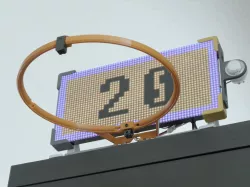
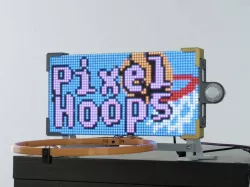
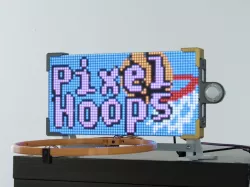
Build an LED scoreboard using an RGB Matrix and CircuitPython! This indoor game lets you shoot hoops and display your score on an LED Matrix.
The 3D printed hoop houses an IR break beam sensor that detects when a ball has gone through it. The 3D printed parts hold everything together and are designed to be easy to build so you can make one at home.
Learn Guide:
https://learn.adafruit.com/led-matrix-scoreboard
Project video
Livestream build
Code on GitHub
https://github.com/adafruit/Adafruit_Learning_System_Guides/tree/master/LED_Matrix_Scoreboard
Adafruit Feather M4 Express
https://www.adafruit.com/product/3857
RGB Matrix FeatherWing
https://www.adafruit.com/product/3036
LED Matrix 32x64 – 4mm pitch
https://www.adafruit.com/product/2278
STEMMA speaker
https://www.adafruit.com/product/3885
24mm mini Arcade Button
https://www.adafruit.com/product/3429
IR Break Beam Sensor – 5mm LED
https://www.adafruit.com/product/2168
IR Break Beam Sensor – 3mm LED
https://www.adafruit.com/product/2167
Visit the Adafruit shop online -
http://www.adafruit.com
Direct link to the original creator's page
Also Available On
More from adafruit
Similar Models
 prusaprinters
 cults3d
 thingiverse
 prusaprinters
 prusaprinters
 prusaprinters
 prusaprinters
 prusaprinters
Model Specifications
Frequently Asked Questions
How do I download LED Matrix Scoreboard?
Click the "View on prusaprinters" button above to visit the original model page on prusaprinters. You can download the STL file directly from the creator's page for free.
What 3D printer can I use for this model?
This STL file is compatible with most FDM 3D printers (Creality Ender 3, Prusa MK3S+, Bambu Lab, etc.) and resin printers (Elegoo, Anycubic). Check the original page for recommended print settings and materials.
Is this 3D model free to download?
Yes, this model is available as a free download on prusaprinters. Some creators accept tips or donations.
Can I modify this STL file?
Most STL files can be modified using free software like Blender, TinkerCAD, or Meshmixer. Check the license on the original prusaprinters page to see if modifications are permitted by the creator.