 thingiverse
LED Globe
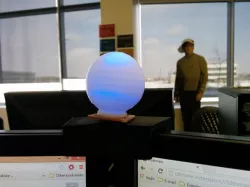
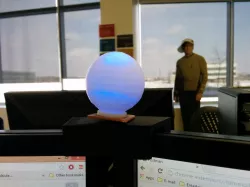
A small 5 cm hollow sphere which has a base and a hole for a 5mm LED.
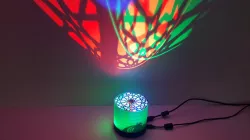
I used mine with an RGB led and Arduino, and made it into a Pomodoro timer. It starts green, fades to red over 25 minutes, then for 4 minutes glows blue, signalling a stretch break.
Detailed instructions for creating the Pomodoro timer are below.
Instructions
Print out the Sphere in a neutral or white colour. Insert 5mm LED of your choice into the bottom and power it however you like!
If you want to build the Pomodoro timer which I did, follow this instructable for building the RGB LED circuit for the Arduino, which is what I used: http://www.instructables.com/id/Fading-RGB-LED-Arduino/. It give clear steps and materials required.
The code I wrote for the Pomodoro specific logic is here:
#define RED 9
#define GREEN 10
#define BLUE 11
void setup() {
pinMode(GREEN, OUTPUT);
pinMode(BLUE, OUTPUT);
pinMode(RED, OUTPUT);
digitalWrite(GREEN, HIGH);
digitalWrite(BLUE, LOW);
digitalWrite(RED, LOW);
}
int redVal;
int blueVal;
int greenVal;
int val;
void loop() {
// 25 minute green to red
int redVal = 0;
int blueVal = 0;
int greenVal = 255;
for( int i = 0 ; i < 255 ; i += 1 ){
greenVal -= 1;
redVal += 1;
analogWrite( GREEN, greenVal );
analogWrite( RED, redVal );
delay( 5882 );
}
// blink red
for ( int i = 0; i < 60; i++ ) {
redVal = ( redVal == 0 ) ? 255 : 0;
analogWrite( RED, redVal );
delay ( 500 );
}
// 4 minute solid blue
analogWrite( RED, 0 );
analogWrite( BLUE, 255 );
delay( 240000 );
// blink blue
for ( int i = 0; i < 60; i++ ) {
val = ( val == 0 ) ? 255 : 0;
analogWrite( BLUE, val );
delay ( 500 );
}
analogWrite ( BLUE, 0 );
}
Direct link to the original creator's page
Also Available On
More from chevi
Similar Models

Model Specifications
Frequently Asked Questions
How do I download LED Globe?
Click the "View on thingiverse" button above to visit the original model page on thingiverse. You can download the STL file directly from the creator's page for free.
What 3D printer can I use for this model?
This STL file is compatible with most FDM 3D printers (Creality Ender 3, Prusa MK3S+, Bambu Lab, etc.) and resin printers (Elegoo, Anycubic). Check the original page for recommended print settings and materials.
Is this 3D model free to download?
Yes, this model is available as a free download on thingiverse. Some creators accept tips or donations.
Can I modify this STL file?
Most STL files can be modified using free software like Blender, TinkerCAD, or Meshmixer. Check the license on the original thingiverse page to see if modifications are permitted by the creator.