 CrealityCloud
Creality Cloud | Tripod Ball Joint | ملفات الطابعة ثلاثية الأبعاد
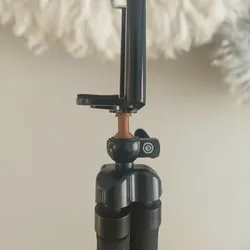
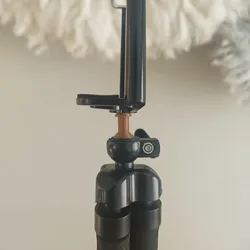
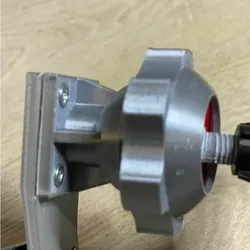
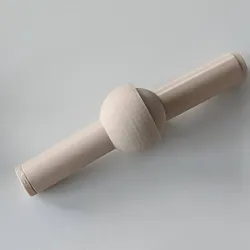
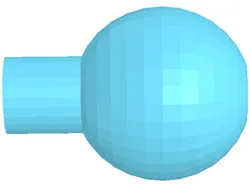
Design ConceptThis 3D printed tripod ball joint is created to replace the one that snapped or broke , otherwise why else would you be looking at this , also i included two , so incase you wanted something longer you can use the split tool so you can get your needed lengthPurposeThe model is perfect for hobbyists, photographers, or anyone looking to fix their broken ball join.Printing TipsPrint the joint using a sturdy filament such as ABS/PETG or PLA+ to ensure durability and strength. It is recommended to use supports for the spherical sections and to maintain a layer height of 0.12 mm for precision. Post-processing with silicone lubricant can further enhance joint movement.Assembly InstructionsThe ball joint requires careful alignment during assembly to maintain smooth rotation. Insert the ball into the socket and ensure a snug fit. Tighten any screws or fixtures to ensure the joint remains stable and operational.
Direct link to the original creator's page
More from ShaWayle
Similar Models
 CrealityCloud
 CrealityCloud
 CrealityCloud
 CrealityCloud
 CrealityCloud
 CrealityCloud
 CrealityCloud
 CrealityCloud
Model Specifications
Frequently Asked Questions
How do I download Creality Cloud | Tripod Ball Joint | ملفات الطا...?
Click the "View on CrealityCloud" button above to visit the original model page on CrealityCloud. You can download the 3MF, STL file directly from the creator's page for free.
What 3D printer can I use for this model?
This model is compatible with most FDM 3D printers (Creality Ender 3, Prusa MK3S+, Bambu Lab, etc.) and resin printers (Elegoo, Anycubic). Check the original page for recommended print settings and materials.
Is this 3D model free to download?
Yes, this model is available as a free download on CrealityCloud. Some creators accept tips or donations.
Can I modify this file?
Check the license (CC BY-SA) on the original CrealityCloud page. Most STL files can be modified using free software like Blender, TinkerCAD, or Meshmixer.