 Thingiverse
Hole Tolerance Gauge
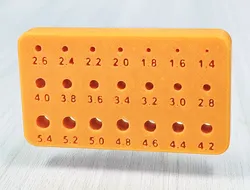
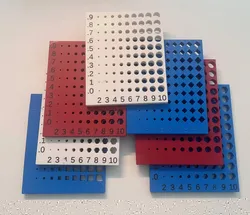
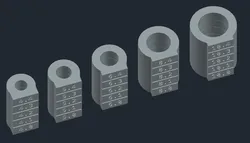
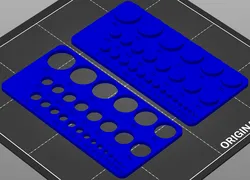
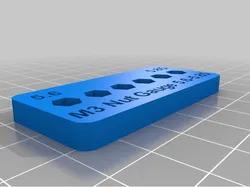
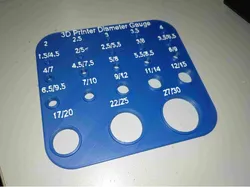
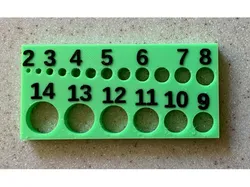
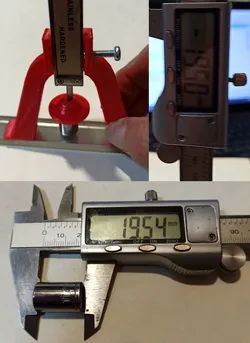
A major issue when designing and printing holes for fasteners like screws and bolts is dimensional accuracy. With filament printers, the hole you specified in a design is not quite the hole you get in a physical print. Tolerance and accuracy can vary, depending on your particular printer and material you're using. To get good results, you probably need to experiment a little and compensate for variables. Add to this, the additional tolerances that are out of your control like a fastener vendor's quality control. I have seen sets of small stainless steel bolts made in China that are consistently undersized when measuring the major thread diameter with calipers. The Hole Gauge here is a handy tool for checking your printers results with the fasteners you have available. Gauge holes start at 5.4mm and decrease in 0.2mm increments, ending at 1.4mm. Print this gauge for a baseline to see where you are. BTW, if you can consistently print good holes under 1.5mm, you are doing well.Easily determine the correct snug pass-thru hole size for your fasteners. Knowing the correct tap hole size and comparing it using calipers to the results in this gauge eliminates guesswork. If you intend to self-tap your screws into a softer plastic part, look for a hole with approximately 95% of your thread's major diameter. If you're working with Heat-set inserts, look for a hole with approximately 98% of the outer diameter of the insert. If you find this useful, please let me know.
Direct link to the original creator's page
Also Available On
More from Mczapla


Similar Models
Model Specifications
Frequently Asked Questions
How do I download Hole Tolerance Gauge?
Click the "View on Thingiverse" button above to visit the original model page on Thingiverse. You can download the STL file directly from the creator's page for free.
What 3D printer can I use for this model?
This model is compatible with most FDM 3D printers (Creality Ender 3, Prusa MK3S+, Bambu Lab, etc.) and resin printers (Elegoo, Anycubic). Check the original page for recommended print settings and materials.
Is this 3D model free to download?
Yes, this model is available as a free download on Thingiverse. Some creators accept tips or donations.
Can I modify this file?
Check the license (see original page) on the original Thingiverse page. Most STL files can be modified using free software like Blender, TinkerCAD, or Meshmixer.