 Thingiverse
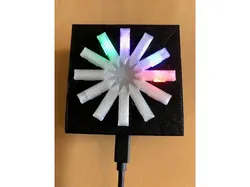
ESP12-E Wireless Clock - WS2812b housing
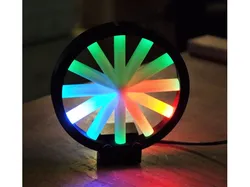
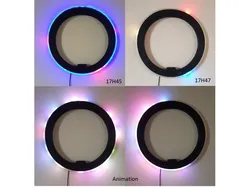
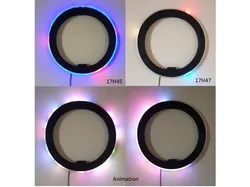
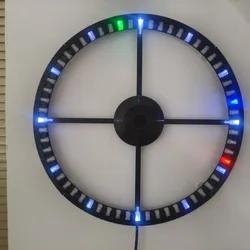
What?ESP12-E / ESP8266 board housing with mounts for a WS2812b 12-LED ring.Hour hand: Red, Minutes: Green, Seconds: BlueSince minutes are in increments of 5, I've also added "Purple minutes" - IE if it's 7 after, you'll see the green LED on the 5 mark, and two additional purple LEDs will be lit.How?You can make it do flashy things, or use it as a wifi time synced clock.Github source code: https://github.com/gunkl/esp12e-clockThe current binary for the clock is here: https://s3-us-west-1.amazonaws.com/ds01222018-mypublicbucket/public/esp-clock12.ino.binYou can set the wifi ssid and password as well as UTC offset by following the menu system via the serial console. Connect at 115200.I used the HiLetgo WS2812b 12-LED ring obtained from Amazon.Connect GPIO14 to the DI wire on the LED ring. Use standard resistor and cap wiring for power (+Vin to 330ohm resistor to LED+, GND to LED, 63+uF cap from +Vin to Gnd)NotesCurrently no daylight savings automatic support.No echo-back on serial during config, so be prepared to enable local echo.To DoAdd daylight savings supportMake a new lid design that's a little more aesthetically pleasing.
Direct link to the original creator's page
More from gunkl
Similar Models
Model Specifications
Frequently Asked Questions
How do I download ESP12-E Wireless Clock - WS2812b housing?
Click the "View on Thingiverse" button above to visit the original model page on Thingiverse. You can download the STL file directly from the creator's page for free.
What 3D printer can I use for this model?
This model is compatible with most FDM 3D printers (Creality Ender 3, Prusa MK3S+, Bambu Lab, etc.) and resin printers (Elegoo, Anycubic). Check the original page for recommended print settings and materials.
Is this 3D model free to download?
Yes, this model is available as a free download on Thingiverse. Some creators accept tips or donations.
Can I modify this file?
Check the license (see original page) on the original Thingiverse page. Most STL files can be modified using free software like Blender, TinkerCAD, or Meshmixer.