 Thingiverse
Snapmaker A250 Toolbox
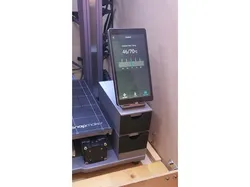
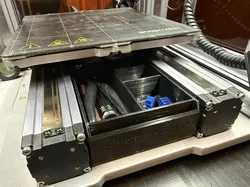
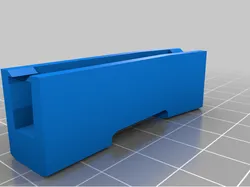
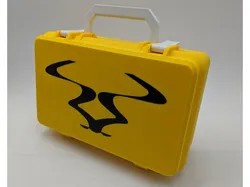
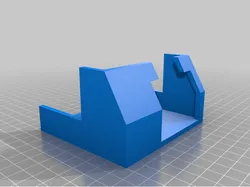
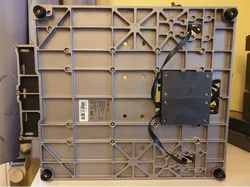
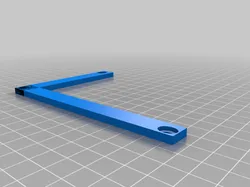
Toolbox drawers for Snapmaker A250.Requires 2x M4 nuts and 2x M4 x 20 screwsAssembly instructions:Use M4 x 8 screw to attach the Touchscreen Holder to the top part of the Box <pic 1>Use two Joints to join parts of the Box <pic 3>Push the M4 nuts into the holes at the bottom part of the Box <pic 5>Use M4 x 20 screws to attach the Box to the original location of the Touchscreen HolderI recommend printing joints horizontally with supports.I didn't use supports on other parts
Direct link to the original creator's page
More from artur1292
Similar Models
 Printables
 Thingiverse
 Printables
 Thingiverse
 Thingiverse
 Thingiverse
 Thingiverse
 Thingiverse
Model Specifications
Frequently Asked Questions
How do I download Snapmaker A250 Toolbox?
Click the "View on Thingiverse" button above to visit the original model page on Thingiverse. You can download the STL file directly from the creator's page for free.
What 3D printer can I use for this model?
This model is compatible with most FDM 3D printers (Creality Ender 3, Prusa MK3S+, Bambu Lab, etc.) and resin printers (Elegoo, Anycubic). Check the original page for recommended print settings and materials.
Is this 3D model free to download?
Yes, this model is available as a free download on Thingiverse. Some creators accept tips or donations.
Can I modify this file?
Check the license (see original page) on the original Thingiverse page. Most STL files can be modified using free software like Blender, TinkerCAD, or Meshmixer.