 CrealityCloud
3D printer bestanden | 3MF | caliper radius jig for caliper no hardware needed
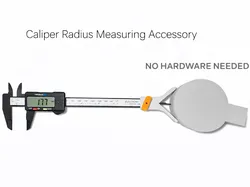
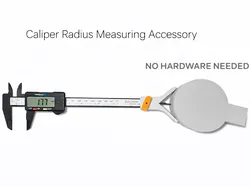
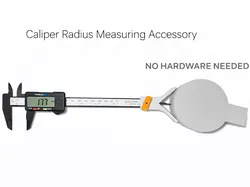
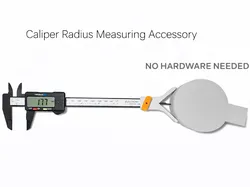
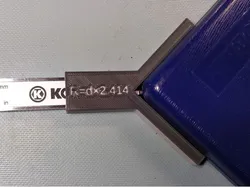
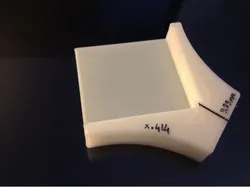
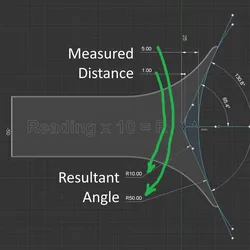
Attach the jig to your digital caliper. Use the included square guide to set the zero position, then lock the jig in place using the threaded knob.Measure the radius of rounded corners as shown in the photo by bringing the caliper’s depth rod (the rod normally used for depth measurements) against the surface.Multiply the measured value by 2.41 to obtain the radius. The conversion formula is printed on the triangular guide as a quick reminder. When not in use, the guide can be stored on the back of the jig.No additional hardware is required, only the printed parts.Compatible with most digital calipers,print in pla.Boost Meif you like my projectBoost
Direct link to the original creator's page
More from 2G DSGN
 CrealityCloud
 CrealityCloud
 CrealityCloud
 CrealityCloud
 CrealityCloud
 CrealityCloud
Similar Models
 CrealityCloud
 CrealityCloud
 CrealityCloud
 Thingiverse
 Thingiverse
 Thingiverse
 Printables
 CrealityCloud
Model Specifications
Frequently Asked Questions
How do I download 3D printer bestanden | 3MF | caliper radius jig...?
Click the "View on CrealityCloud" button above to visit the original model page on CrealityCloud. You can download the 3MF, STL file directly from the creator's page for free.
What 3D printer can I use for this model?
This model is compatible with most FDM 3D printers (Creality Ender 3, Prusa MK3S+, Bambu Lab, etc.) and resin printers (Elegoo, Anycubic). Check the original page for recommended print settings and materials.
Is this 3D model free to download?
Yes, this model is available as a free download on CrealityCloud. Some creators accept tips or donations.
Can I modify this file?
Check the license (see original page) on the original CrealityCloud page. Most STL files can be modified using free software like Blender, TinkerCAD, or Meshmixer.